



Property inspector
The property inspector, the Inspector tab right of the graph editor, shows the inputs of the selected node. Inputs without a wire can be given a value there. For a subgraph's Graph Input or Graph Output, it also edits the subgraph's params or results; see Editing the signature.
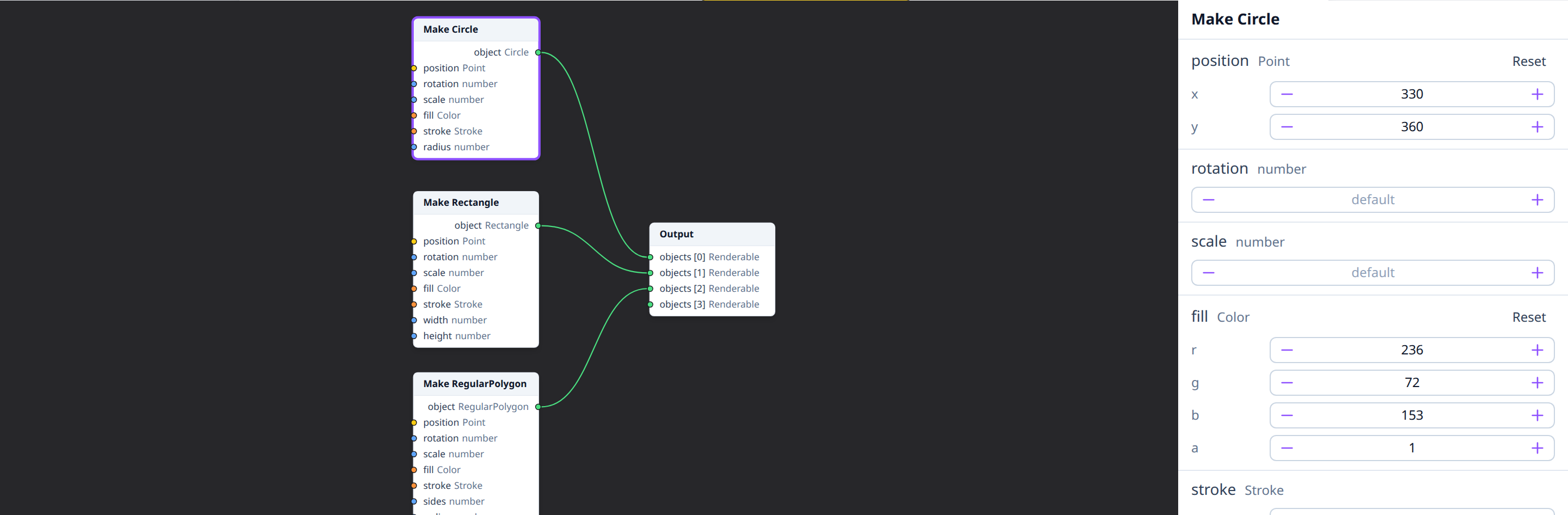
With no node selected, or several, the inspector says so instead.
At the top is the node's name: type one and press Enter to rename the node (Escape cancels). The book icon next to it opens the node's documentation in a new tab.
Editing values
Each input shows its name, its type, and a field for its value:
- numbers: a number field, with − and + buttons;
- booleans: a switch;
- text: a text field, applied when you leave it or press Enter;
- choices such as a stroke's dash style (StrokeDash): a drop-down list.
The drawing updates as soon as a value changes. A value the node can't accept isn't applied, and a message says why.
Objects
Inputs whose type is an object, such as a Point or a
Color, show one field per property: x and y for a
point, r, g, b and a for a color, and so on, nested for objects
inside objects (a stroke's color). Read-only properties, such as a
vector's length, aren't shown.
Defaults and Reset
Every field shows the value the node uses. A value that comes from a
default is dimmed: a Make Circle's fill, for example, shows the mid gray
every shape starts with. Editing a field (typing, − / +, the switch or the
list) starts from the value shown, and the field is then shown as set.
Once a value is set, a Reset button next to the input clears it, back to the default. In an object, each property you set also gets its own reset button (↺), which puts back only that property; the others keep their values. Resetting the last one clears the input.
A field with no default, such as a Set node's overrides, stays empty and shows default: the node then keeps the incoming object's value.
Seeds
A random node (Random Number, Random Integer, Random Color, Noise, Displace) has a seed row above its inputs: its own seed, which picks another sequence of random numbers for it alone.
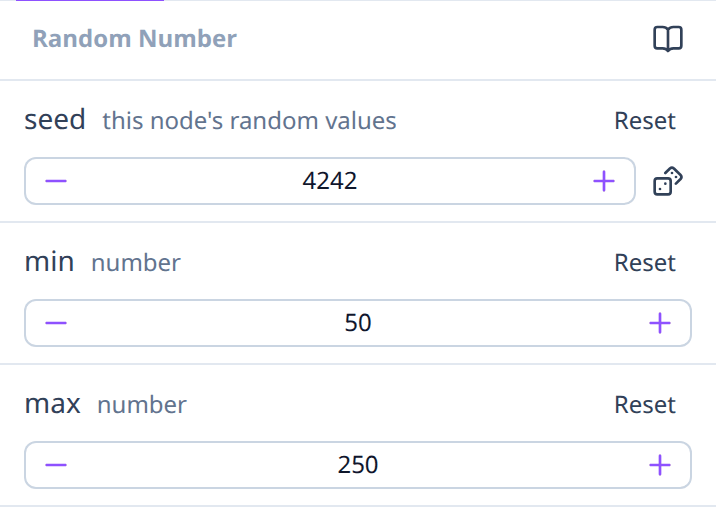
- Without a seed it shows default: the node's usual values.
- The dice button picks a new seed; typing one gets its values back.
- Reset, or emptying the field, goes back to the default.
Other random nodes keep their values. To reroll them all at once, change the drawing's seed in the Image drawer; see Determinism and random.
Inputs that can't be edited
Some inputs show a label instead of a field:
- connected: the value comes from a wire;
- multiple connections: an input that takes several wires;
- generic, set by connections: its type isn't known until something is connected.
Below the label, a connected input shows the value arriving through each wire, read-only, with the node and output it comes from: numbers, switches and choices as text, and objects with the same fields as above. Arrays show how many items they hold, and functions their type. An input taking several wires shows one numbered row per wire, in slot order. Instead of a value it can also say:
- not evaluated: the node the wire comes from isn't connected to the Output, so it isn't run;
- upstream error: that node, or one before it, failed (see Errors);
- varies per call: inside a subgraph, each call of the body has its own values.
Arrays and functions can't be given a value here either: connect them instead. The inspector says why for each.
See also
- Units and coordinates: what the numbers mean.
- Types: each type's properties.
- Connecting pins.