



Connecting pins
Wires carry values from a node's outputs (on its right) to other nodes' inputs (on its left). Each pin has a type, and a wire only connects pins whose types fit.
Drawing a wire
Drag from an output to an input, or from an empty input to an output. While dragging, the pins the wire can connect to are ringed, and the others are dimmed.
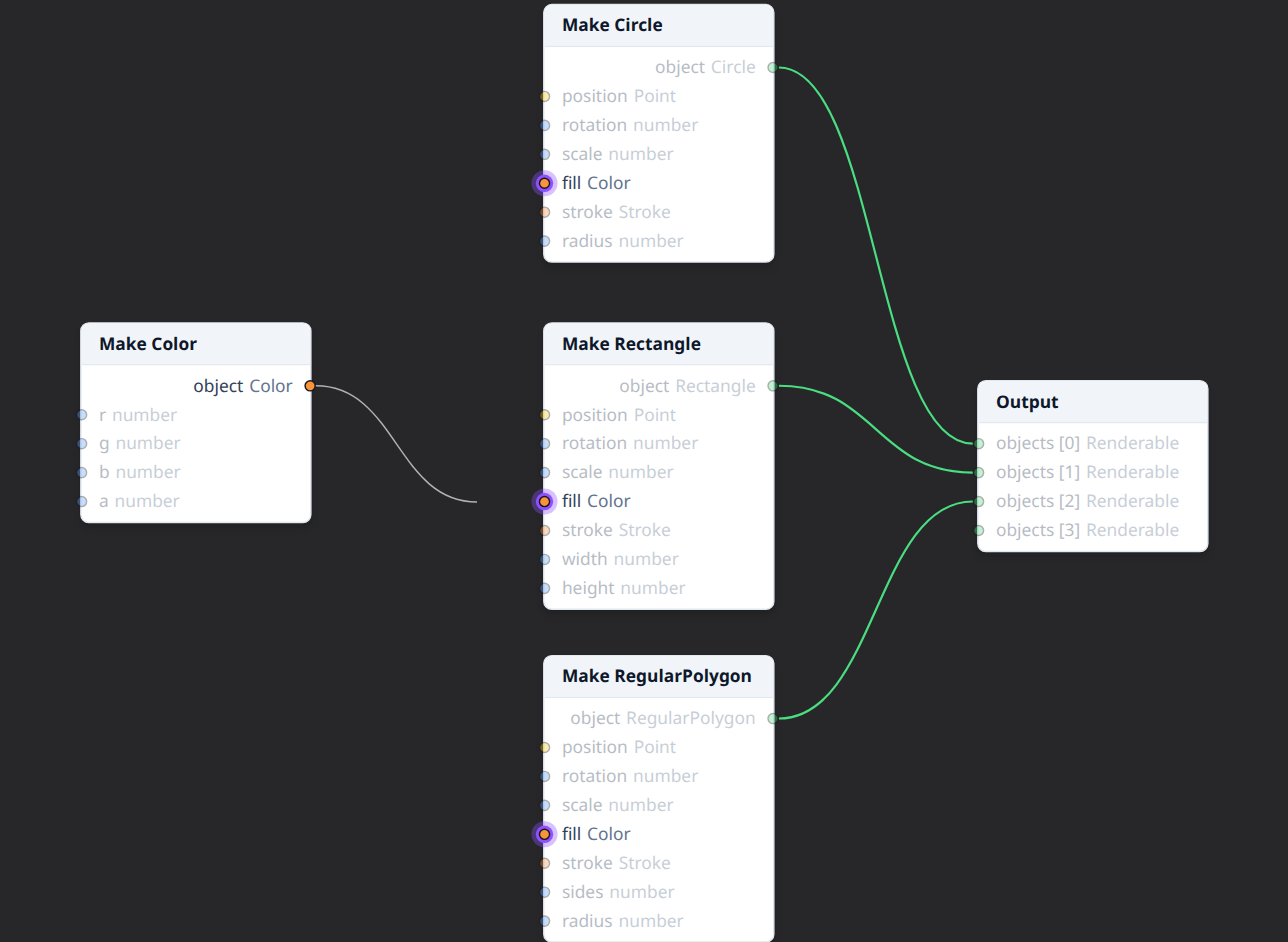
Dropping the wire on an incompatible pin connects nothing and shows the reason. Dropping it on empty canvas offers the nodes that can take it.
Inputs with one wire
Most inputs take a single wire. Connecting to one that already has a wire replaces it.
Inputs with several wires
Some inputs, such as the Output node's objects, take any number of
wires. They show one slot per wire, numbered in order, plus an empty slot
at the end: drop a wire there to add it.
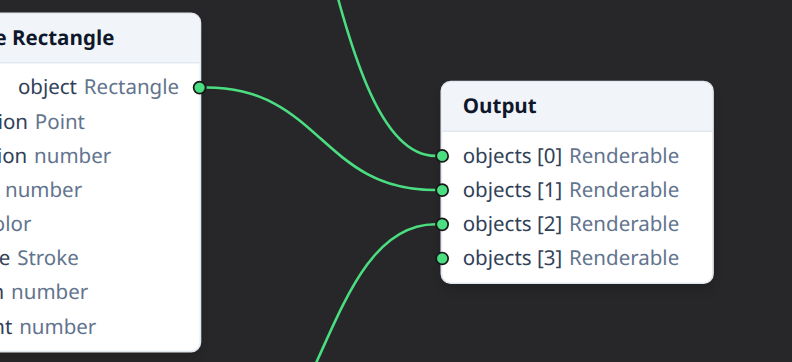
The order matters: for the Output and Group nodes, later slots are drawn on top of earlier ones.
The Output and Group nodes' objects slots also take an array of objects,
such as the sides from Segments: every
element is drawn, in array order, at that slot's place.
Moving and removing a wire
Drag a wire away from the input it ends at:
- drop it on another input to move it there (replacing that input's wire, or adding a slot);
- drop it on empty canvas to remove it.
A wire can also be selected (click it) and deleted with Delete.
Which pins fit
A wire fits when the output's type is the input's type or one of its subtypes: a Circle output connects to a Renderable input, but not to a Rectangle one. Point and Vec2 are separate types and don't connect to each other.
Pins are colored by type family, and their shape shows the kind of value: round for a single value, square for an array, a diamond for a function. Generic pins (hollow) take their type from the first wire connected to them.
When a node's generic type changes, wires that no longer fit are removed.
See also
- Pin types and colors and Generic pins.
- Types, and Composite types for arrays, functions and generic pins.
- Context menus: Disconnect all.