



Navigating the editor
The graph editor is a canvas larger than the screen: move around it, then select nodes and wires to move or delete them.
Panning and zooming
- Pan: drag empty canvas with the left or middle mouse button.
- Zoom: scroll the wheel; the view zooms around the pointer, from 0.2× to 5×.
The right button doesn't pan: it opens the context menu.
Selecting
| Action | How |
|---|---|
| Select a node or a wire | Click it |
| Add or remove one from the selection | Shift+click |
| Select the nodes in a box | Shift+drag on empty canvas |
| Select all nodes | Right-click empty canvas → Select all |
| Clear the selection | Click empty canvas |
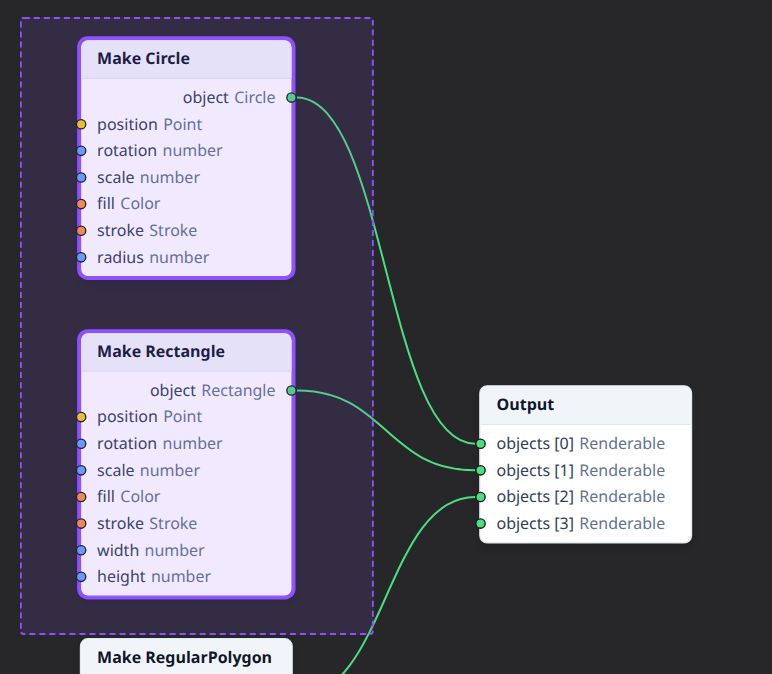
The selection box selects the nodes entirely inside it (not wires), and replaces the selection. Selected nodes and wires are outlined in the accent color.
Moving nodes
Drag a node by its header or body. If it was selected, the whole selection moves with it, keeping the nodes' places relative to each other. Dragging a node that isn't selected selects it first (Shift+drag adds it to the selection).
Moving nodes only changes the layout: it never changes the drawing.
Renaming nodes
Give a node a name that says what it's for in the drawing ("Sun", "Outer ring"). Then its header shows the name, with the node's type below it.
- Double-click the node's title, press F2 with the node selected, or choose Rename in its context menu.
- Type the name, then press Enter or click elsewhere. Escape cancels.
- Clear the name to show the type's name again.
The name can also be edited at the top of the property inspector. Names needn't be unique, and duplicated nodes keep them. A subgraph's node is named after the subgraph: renaming it renames the subgraph, everywhere it's used. Like moving, renaming never changes the drawing.
Deleting
Press Delete or Backspace to delete the selection: the selected wires are disconnected and the selected nodes removed, with their wires. The keys do nothing while typing in a field.
The Output node can't be deleted: every graph has exactly one.
Deleted by mistake? Ctrl+Z brings it back, wires included; see Undo and redo.
Cut, copy and paste
| To | Do this |
|---|---|
| Copy the selected nodes | Ctrl+C (⌘C on macOS) |
| Cut them: copy, then delete | Ctrl+X (⌘X) |
| Paste the copied nodes | Ctrl+V (⌘V) |
The Edit menu and the context menu have the same actions. Copying takes the nodes with their values, names, seeds and frozen values, and the wires between them; wires to nodes left out of the selection aren't copied. Pasted nodes get the copied wires back and become the selection.
With Ctrl+V, the nodes are centred on the pointer when it's over the graph editor. From the Edit menu they're placed a little below and to the right of where they were copied, and from the context menu where you right-clicked.
Copied nodes go to the system clipboard, so you can paste them into another subgraph, or into the Playground in another tab. A subgraph the other drawing doesn't have can't be pasted there: a message says what was left out. The Output node and a subgraph's Graph Input and Graph Output can't be copied. The shortcuts do nothing while typing in a field, which keeps the usual text copy and paste.
See also
- Undo and redo.
- Context menus, for duplicating, copying and disconnecting nodes.
- Frames, for organizing nodes in titled boxes.
- Connecting pins.