



Undo and redo
Every change to the drawing can be undone: a deleted node, a wrong value, a wire, a moved node, a new page size. Undo goes back one step at a time, and redo puts the steps back.
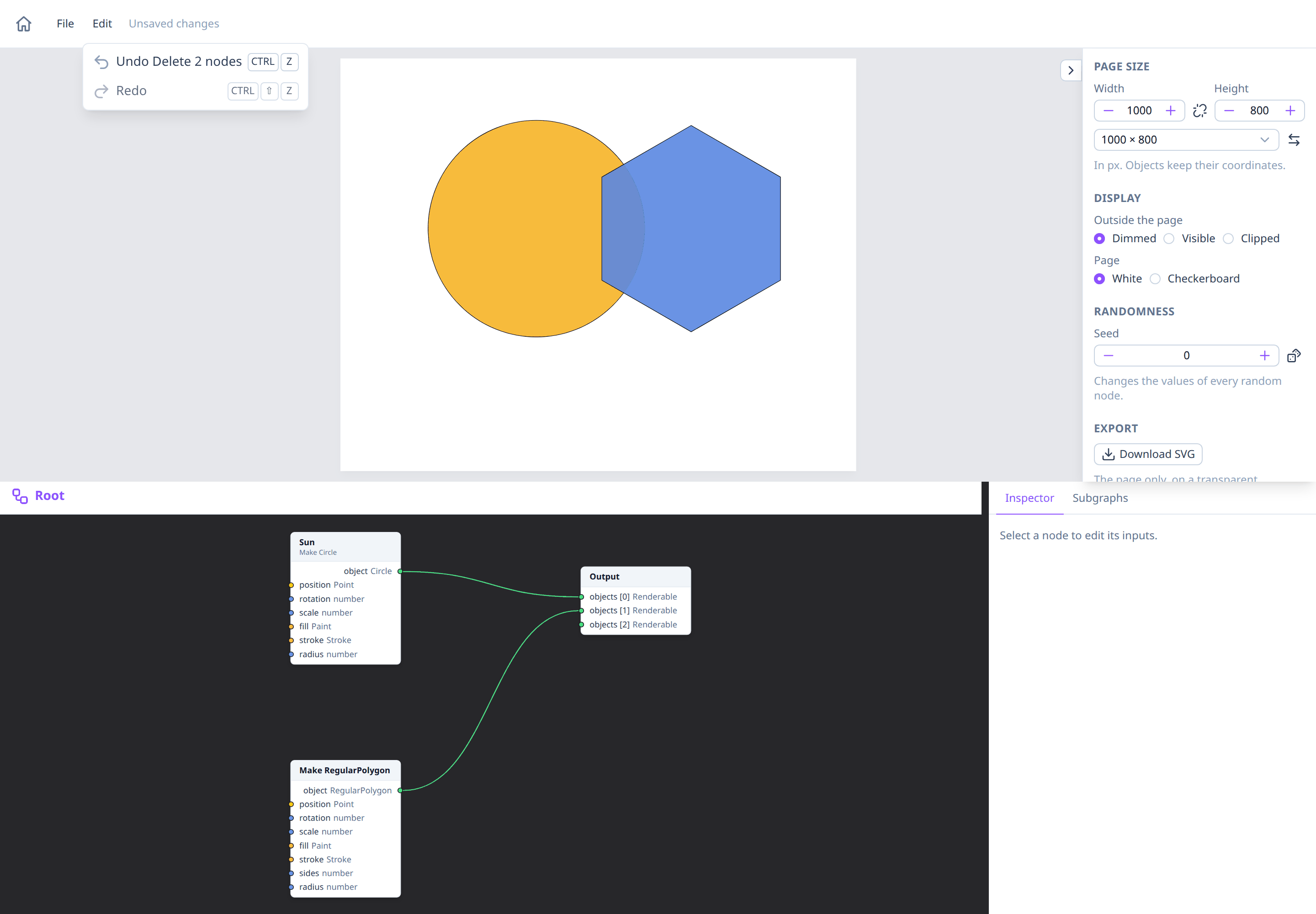
The Edit menu and shortcuts
The Edit menu, next to File at the top left of the Playground, names the step it would undo or redo:
- Undo (Ctrl+Z, ⌘Z on macOS), e.g. "Undo Delete 2 nodes".
- Redo (Ctrl+Shift+Z or Ctrl+Y, ⌘⇧Z on macOS), e.g. "Redo Connect".
They're disabled when there's nothing to undo or redo. A short message confirms each one: "Undid Delete 2 nodes".
The shortcuts work anywhere in the Playground except while typing in a field, such as a node's name or a value in the inspector: there Ctrl+Z undoes your typing, as in any text field, and leaves the drawing alone.
The Edit menu also has Cut, Copy and Paste for nodes; see Cut, copy and paste. Cutting and pasting are steps too: "Undo Paste 3 nodes".
What counts as a step
One action is one step, however many changes it makes:
- adding, deleting, duplicating or renaming nodes, connecting or disconnecting wires;
- moving nodes: a whole drag is one step;
- setting or resetting a value or a parameter in the inspector;
- freezing and unfreezing, seeds, the page size;
- creating, renaming or deleting a subgraph, and editing its signature;
- making, renaming, coloring, collapsing, moving or deleting a frame, and moving nodes into or out of one.
Looking around isn't a step and isn't undone: panning, zooming, selecting, opening subgraphs, and the preview's display options. Undo also keeps your view as it is: the graph you have open stays open (unless the undo removes it), the selected nodes stay selected if they still exist, and the editor doesn't move. A change undone in another graph is undone there without opening it.
After an undo, making a new change drops the steps you could have redone.
Limits
- The last 100 steps can be undone (fewer for very large drawings, such as ones with big frozen values or imported images).
- The history lasts while the page is open: it isn't saved in files, and New and Open… start a new one. Reloading the page clears it.
Undo and unsaved changes
Unsaved changes follows undo: undoing back to the drawing as you last saved it clears the label, and redoing your changes shows it again. See Saving and opening.
See also
- Saving and opening.
- Navigating the editor, for selecting, moving and deleting.
- Freezing nodes.