



Freezing nodes
Freezing a node keeps the value it gives right now. From then on it gives that saved value instead of computing one: its inputs, and everything connected to them, no longer change it. Use it to:
- keep a random result you like, such as one scatter of points, while you go on editing what feeds it;
- stop a heavy pattern from recomputing, such as a large Voronoi, while you work on the rest of the drawing;
- keep a shape while you experiment with the nodes that made it, and go back to the live result when you're done.
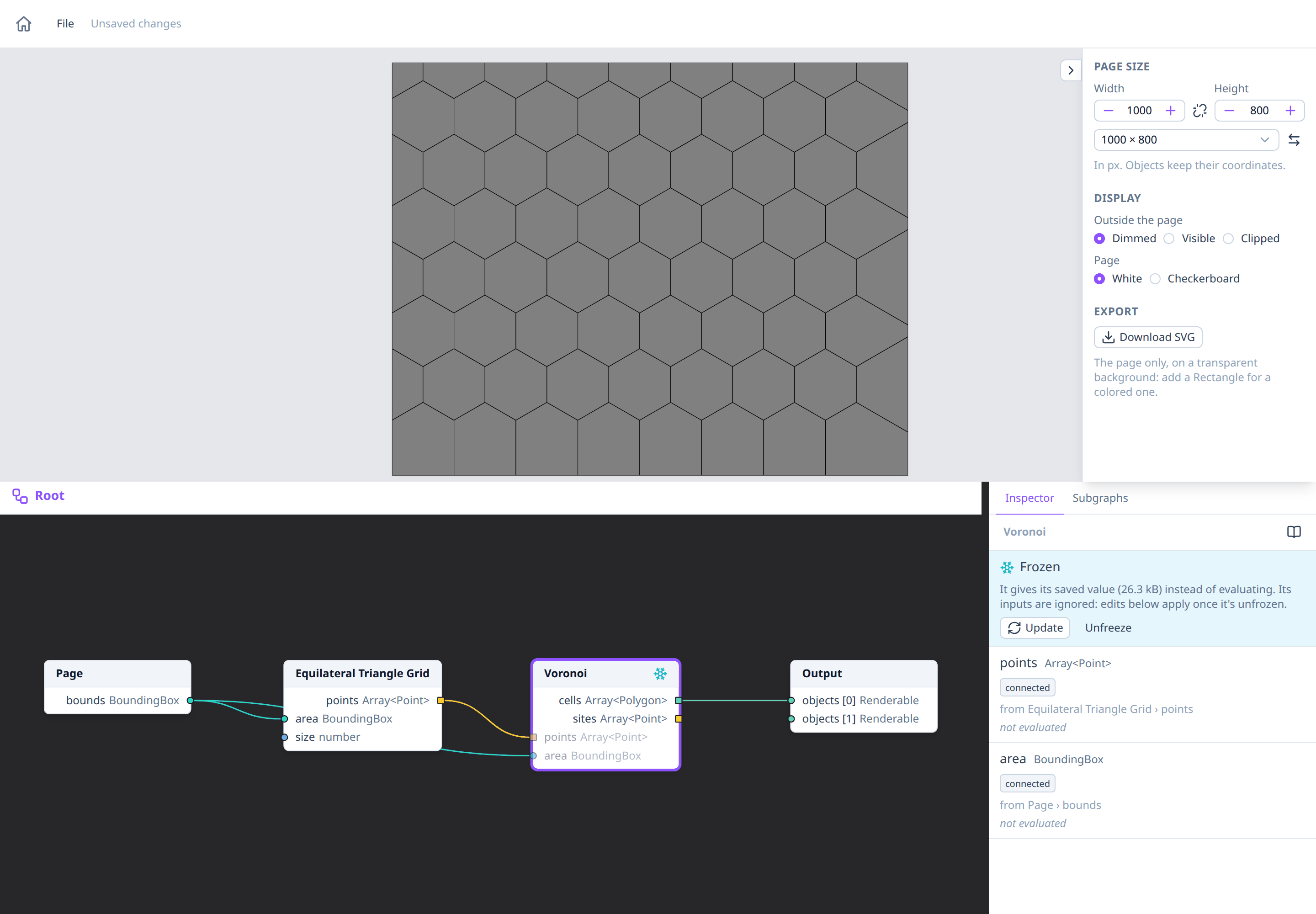
Freezing, updating and unfreezing
Right-click a node to open its context menu:
- Freeze saves the node's current value. A node can be frozen once it has been evaluated: it must be connected, directly or not, to the Output, and not have failed. When it can't be frozen, the menu says why.
- Update frozen value computes the node again from its inputs, as if it weren't frozen, and saves the new value. If that fails, the node keeps its old value and a message says why.
- Unfreeze goes back to computing the node from its inputs.
With several nodes selected, Freeze and Unfreeze apply to each node they can. The inspector of a frozen node has Update and Unfreeze buttons too.
What a frozen node looks like
A frozen node has a snowflake in its header and, when it isn't selected, a blue border. Its inputs and settings are dimmed: you can still change them, but they only take effect once the node is unfrozen (or updated). The inspector says the node is frozen and how much space its value takes.
Nodes that only feed a frozen node aren't computed at all, so their errors don't show while it's frozen.
What can be frozen
Any node of the root graph with outputs, as long as their values can be saved: numbers, text, colors, points, shapes, lines, groups, SVG images, and lists of them. These can't be frozen:
- nodes inside a subgraph: their value differs from one call to the next;
- outputs that are functions, such as a subgraph's function node;
- outputs whose type isn't known yet, such as a Make Array with nothing connected.
Saved with the drawing
A frozen value is saved in the drawing's file, so it's still frozen when you open it again. A large value makes the file bigger: freezing something above 1 MB shows a warning, but freezes it anyway.
If a frozen value no longer fits its output, for example after changing the type of a subgraph's result, the node shows an error until you update or unfreeze it.
See also
- Determinism and random: how random nodes pick their values, and why freezing keeps one.
- Context menus: every node action.
- Saving and opening: what a file holds.