



Segments
The straight sides of a polygon or polyline, as separate segments.
Node id path/segments
The Segments node outputs the sides of object as an array of Segments,
in order: one per side of a polygon, or one per piece of a polyline.
Inputs
| Name | Type | Default | Notes |
|---|---|---|---|
| object | Renderable | — |
Outputs
Behaviour
- Which objects. Polygons (including Regular Polygon) and polylines.
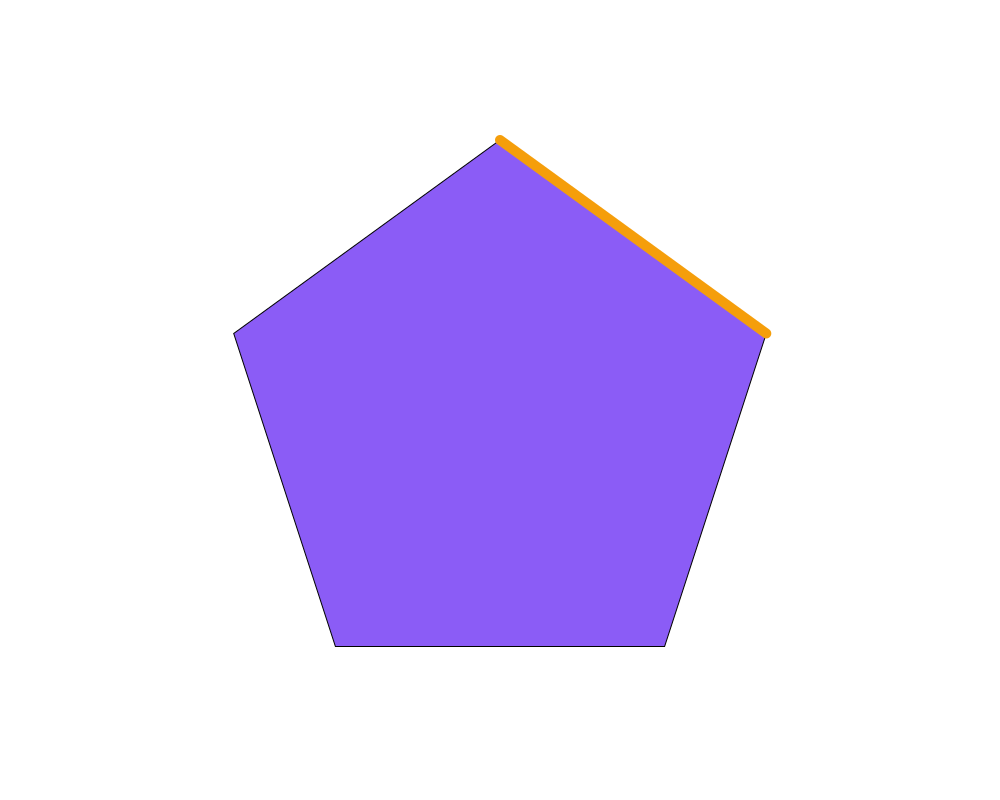
- Closed and open. A polygon's segments include the closing side, from the last vertex back to the first; a polyline's don't.
- On the page. Segment ends include the object's position, rotation and scale, so the segments lie exactly where the sides are drawn.
- Style. Each segment gets a copy of the object's stroke.
- Drawing them. Connect
segmentsto the Output node to draw every segment, or to a Group.
Errors
objectmust be a polygon or a polyline. Other shapes and lines have no straight sides; use Sample for points along them.
Example
The five sides of a pentagon; the first one, taken out with Get, is given a thick orange stroke.
 Open in Playground