



Group
Combines objects into one, moved, rotated and scaled together.
Node id core/group
The Group node makes one object out of several: its objects become the
children of a new group, and the group's position, rotation and scale
apply to all of them at once. The result connects anywhere an object does,
including into another Group.
Inputs
| Name | Type | Default | Notes |
|---|---|---|---|
| objects | Renderable | — | multiarrays |
| position | Point | { x: 0, y: 0 } | |
| rotation | number | 0 | |
| scale | number | 1 |
Outputs
| Name | Type | Notes |
|---|---|---|
| group | Group |
Behaviour
- Children keep their own transform. Each object keeps its position, rotation and scale, now relative to the group: an object at (50, 0) in a group at (200, 100) is drawn at (250, 100). Rotating or scaling the group rotates or scales the children around the group's position.
- Drawing order.
objectsis a multi input: children are drawn in the order of their slots, later ones on top. - Arrays. A slot can also take an array of objects: each element becomes a child of its own, in array order, at that slot's place.
- Units.
rotationis in radians;scaleis a uniform factor (1 keeps the size). - Copies. The group holds copies of the connected objects: the nodes that produced them, and anything else connected to them, are unchanged.
- Groups have no outline. Path and bounds nodes such as Sample, Length or AABB report an error for a group; use them on the children instead.
Errors
- An object that can't be copied can't be grouped. Every shape, line and group can be, so this only shows up with values that aren't objects.
Example
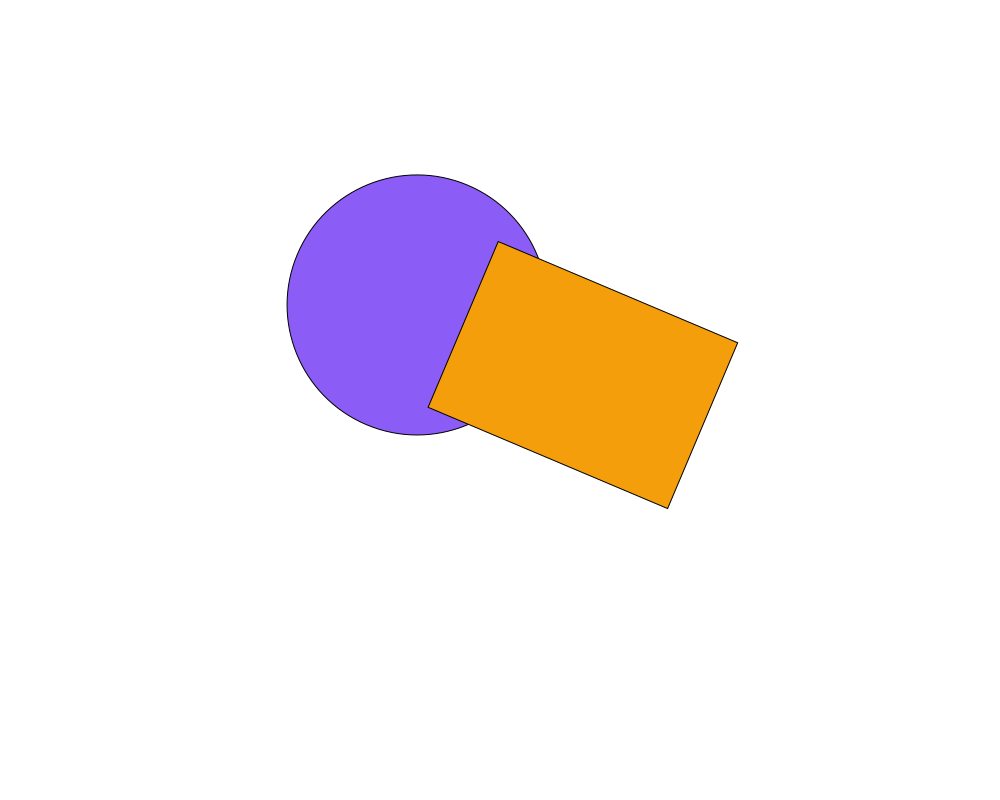
A circle and a rectangle grouped, then rotated by 0.4 radians as a whole. Each keeps its place relative to the other.
 Open in Playground
Related nodes
- Output: draws the objects connected to it.