



Generic pins
Some nodes work with any type. The array nodes, for example, work on
arrays of numbers, points or circles alike. Their pins have a type
variable, such as T, instead of a type: Get takes an Array<T> and
gives a T.
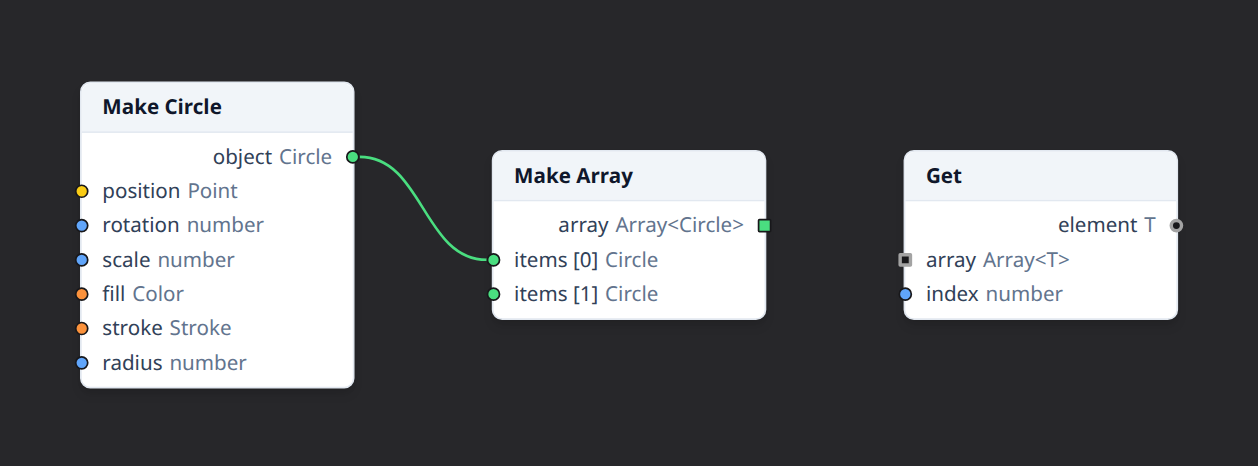
The first connection decides
T stands for one type per node, set by the first wire that needs it.
Connecting an Array<Circle> to Get's array input makes T a Circle on
that node: its element output is then a Circle, and connects wherever a
circle does.
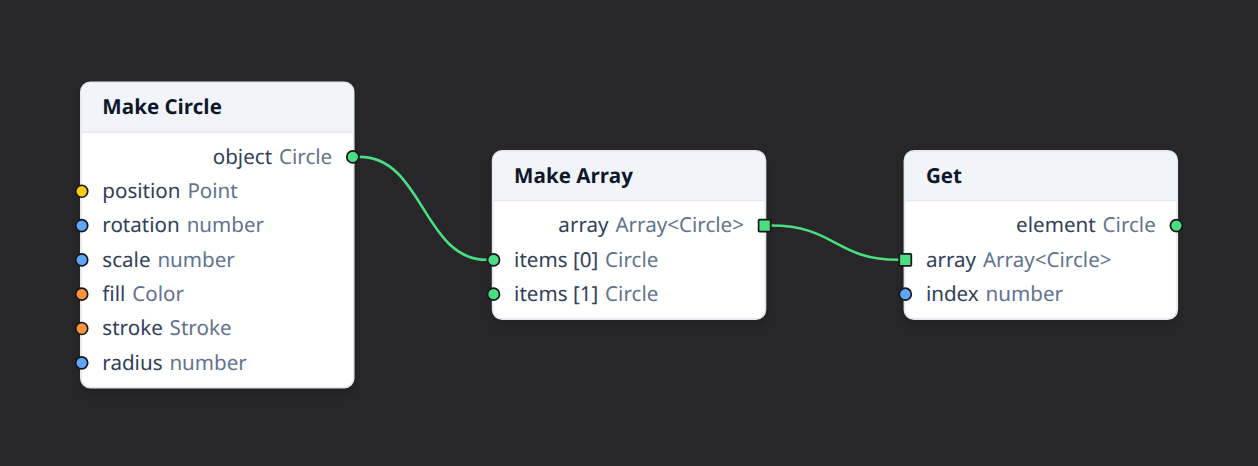
- Hollow pins have a type variable that isn't set yet. They take their family's color once it is.
- Exactly that type. Once
Tis Circle, the node's otherTpins take circles (and subtypes of Circle), but not a Rectangle, even though both are shapes. - Across wires. Connecting two generic pins makes their variables the same type, so setting one sets the other.
- Each node has its own. The
Tof one Get node has nothing to do with theTof another.
Disconnecting
Removing the wires that set a type variable makes it free again. Wires that only fitted the old type are then removed too, since they may not fit anymore.
Generic inputs have no value
A generic input can't be given a value in the property inspector: its type isn't known until something is connected. Connect a value instead.
Arguments of a different type each
The arguments input of Map, Filter, Reduce and Repeat is generic too,
but each of its wires gets its own type: it passes extra values to the
function, of whatever types it takes.