



A whirl of squares
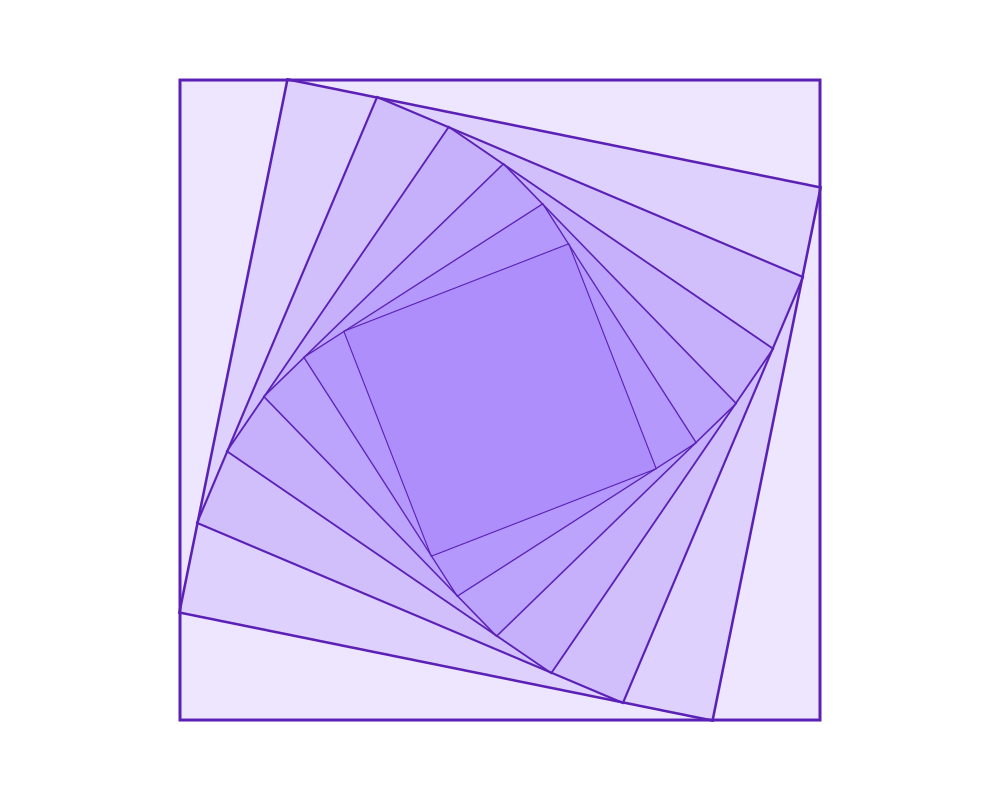
A square, then a copy turned a little and made a little smaller, then a copy of that copy, and so on. Each step only knows about the previous square, and the squares together make a whirl.
 Open in Playground
You'll use: Make Rectangle, Rotate, Scale, Output.
Steps
1. The first square
Add a Make Rectangle node (Objects → Rectangle → Make Rectangle) and set:
position: x 500, y 400 (the centre of the page);widthandheight: 640;fill: r 139, g 92, b 246, a 0.15 (a see-through purple);stroke:width3,colorr 91, g 33, b 182.
Connect its object to the Output node.
2. One step: turn and shrink
Add a Rotate node (Transform → Rotate) and a Scale node (Transform → Scale).
- Connect the square's
objectto Rotate'sobject, and set itsangleto 0.2 (radians, about 11°). - Connect Rotate's
objectoutput to Scale'sobject, and set itsfactorto 0.85. - Connect Scale's
objectoutput to the next free slot of the Output node.
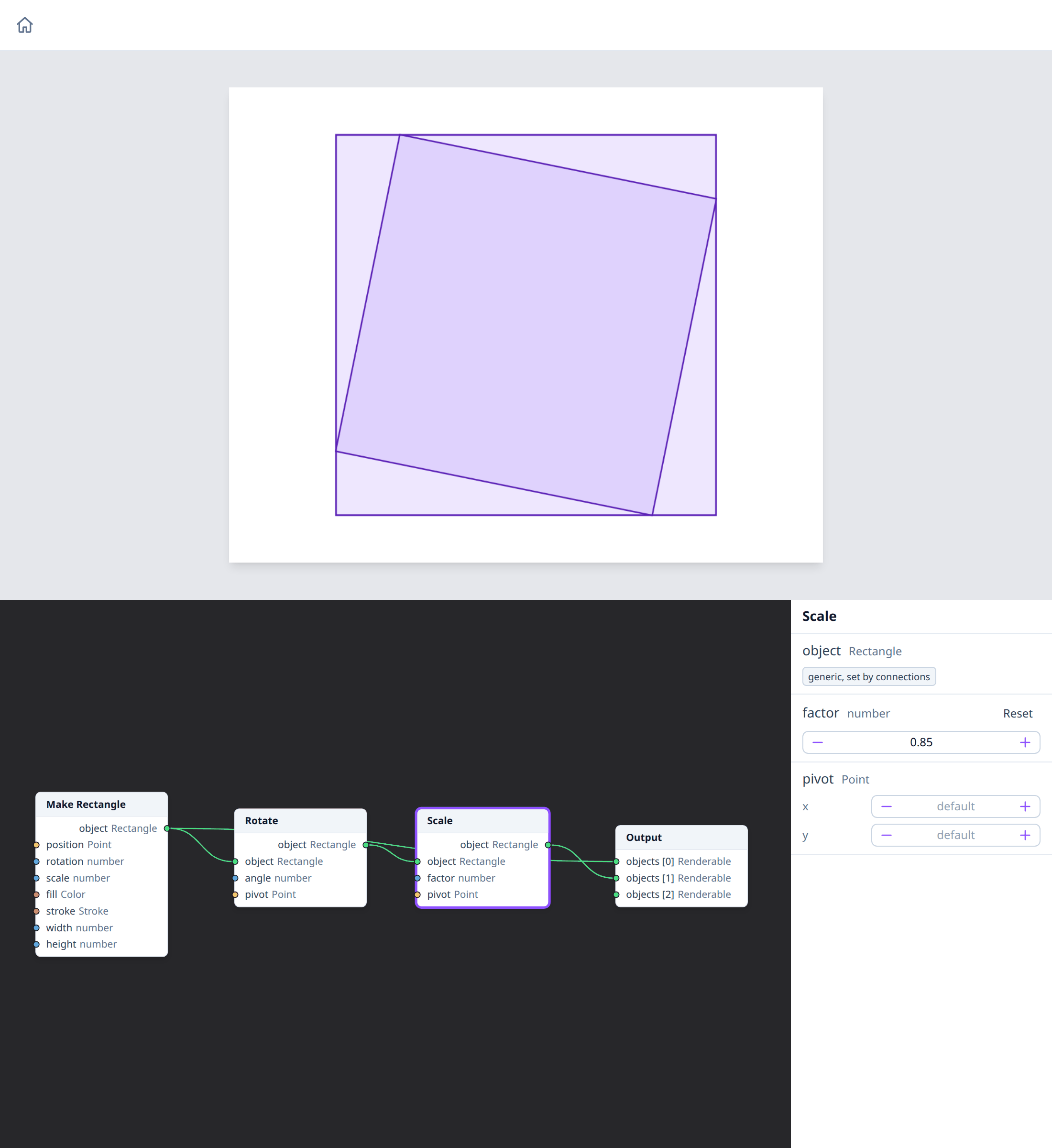
The square stays where it is: Rotate and Scale don't change their input,
they give a changed copy. Without a pivot, both turn and scale around
the square's own position, so the copy stays centred.
3. Repeat
Select the Rotate and Scale nodes (Shift + click), right-click and choose
Duplicate. The copies keep angle and factor, but not the wires:
- connect the previous Scale's output to the new Rotate's
object; - connect the new Rotate to the new Scale;
- connect the new Scale to the next free slot of the Output node.
Do this until there are six steps (seven squares). Each step starts from the square before it, so the turns and the shrinking add up: the last square is turned by 6 × 0.2 = 1.2 radians and scaled by 0.85⁶, about 0.38.
How it works
The chain is the loop: each Rotate + Scale pair is one iteration, and its output is the next pair's input. Because the fill is see-through, the squares darken where they overlap, towards the centre.
With an angle of 0.2, a factor of about 0.85 makes each square's corners just touch the sides of the square before it. That's what makes the whirl look like it's built from spiralling lines.
Nodes used
- Make Rectangle, on the Rectangle type's page.
- Rotate and Scale.
- Output.
Variations
- The other way. A negative
angle(-0.2) turns the whirl anticlockwise. - Looser or tighter. A smaller
factor(0.75) shrinks faster: the corners no longer touch, and the squares float inside each other. - Other shapes. Start from a Make Regular Polygon with 3 or 6 sides instead of the square.
- Off-centre. Give each Scale a
pivot, such as x 180, y 80 (the first square's top-left corner): the squares shrink towards that corner instead of the centre.
See also
- Units and coordinates: angles in radians, and where the page's origin is.
- Selecting nodes and Context menus.