



Rotate
Rotates an object or a point by an angle, around a pivot.
Node id transform/rotate
The Rotate node outputs a copy of object rotated by angle, in radians.
The object can be any shape, line or group, or a Point.
Inputs
| Name | Type | Default | Notes |
|---|---|---|---|
| object | T | — | generic |
| angle | number | 0 | |
| pivot | Point | — |
Outputs
| Name | Type | Notes |
|---|---|---|
| object | T | generic |
Behaviour
- Direction. Since the y axis points down, a positive angle turns clockwise on the page. A full turn is 2π (about 6.283); use PI to build angles.
- Pivot. Without
pivot, a shape, line or group turns around its own position, staying in place. With a pivot, it also swings around it. A Point without pivot turns around the origin (0, 0), the top-left corner of the page. - Adds up. The angle is added to the object's own rotation: rotating an object that already has a rotation of 0.5 by 0.5 gives 1.
- Keeps the type, and works on a copy, like Translate.
Errors
objectmust be a shape, line, group or Point (its pin is generic, so other values connect but fail here).- An object that can't be copied can't be rotated.
Example
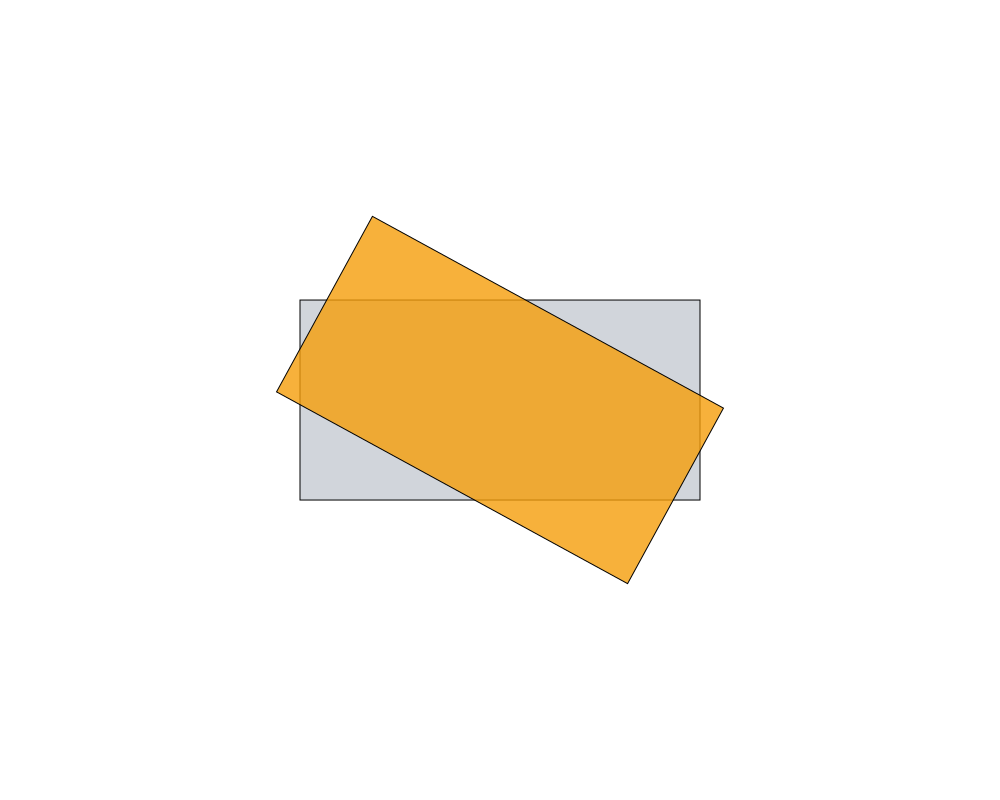
A rectangle (gray) rotated by 0.5 radians around its own position (orange).
 Open in Playground
Related nodes
- Scale: has the same kind of pivot.
- Translate and Move To: move instead.
- Vector From Angle: a direction from an angle.