



Orthogonal Grid
The points of a rectangular grid inside an area.
Node id lattice/orthogonal
The Orthogonal Grid node outputs the points of a grid of rows and columns
that fall inside area: x apart horizontally and y apart vertically.
Use it to lay things out in a regular grid.
Inputs
| Name | Type | Default | Notes |
|---|---|---|---|
| area | BoundingBox | — | |
| x | number | 100 | |
| y | number | 100 |
Outputs
Behaviour
- Origin. The grid starts at the area's top-left corner, which is always one of its points.
- Spacing.
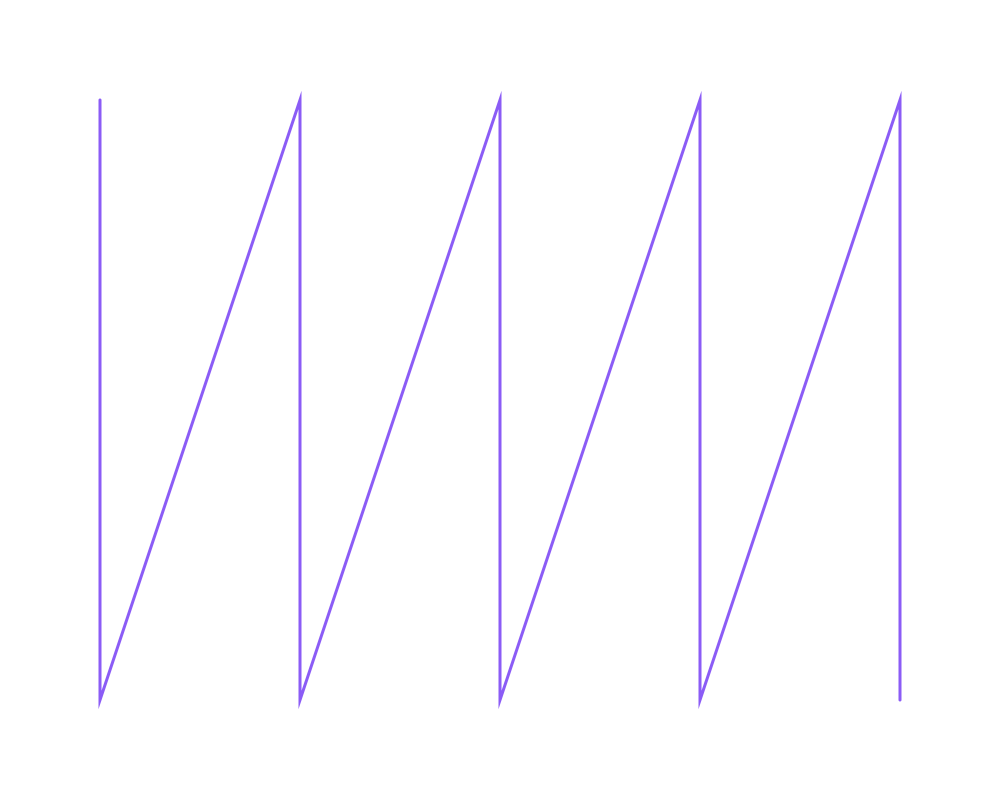
xandydefault to 100. Points on the area's edges are included, so a 400 × 200 area with the defaults holds 5 × 3 = 15 points. - Order. Points come column by column, from left to right, and each column from top to bottom.
- Coordinates. The area and the points are in canvas coordinates: x to the right, y downwards, with (0, 0) at the top left of the page.
Errors
areamust be connected (for example from Make BoundingBox, or from AABB).xandycan't be 0.- An area holding more than 100 000 grid positions is an error, so a tiny spacing can't stall the Playground. Use a larger spacing or a smaller area.
Example
A grid with 200 × 150 spacing in an 800 × 600 area, drawn as a polyline through its points: the line shows the order, column by column.
 Open in Playground
Related nodes
- Equilateral Triangle Grid: a grid of triangles instead of rectangles.
- Lattice: a grid along any two directions.
- Map: does something at every point.