



Scale
Scales an object or a point by a factor, around a pivot.
Node id transform/scale
The Scale node outputs a copy of object made factor times larger. The
object can be any shape, line or group, or a Point.
Inputs
| Name | Type | Default | Notes |
|---|---|---|---|
| object | T | — | generic |
| factor | number | 1 | |
| pivot | Point | — |
Outputs
| Name | Type | Notes |
|---|---|---|
| object | T | generic |
Behaviour
- Factor.
factordefaults to 1 (no change). 2 doubles the size, 0.5 halves it. Scaling is uniform: width and height change together. To stretch one way only, set the shape's own size (such as a rectangle'swidth) instead. - Pivot. Without
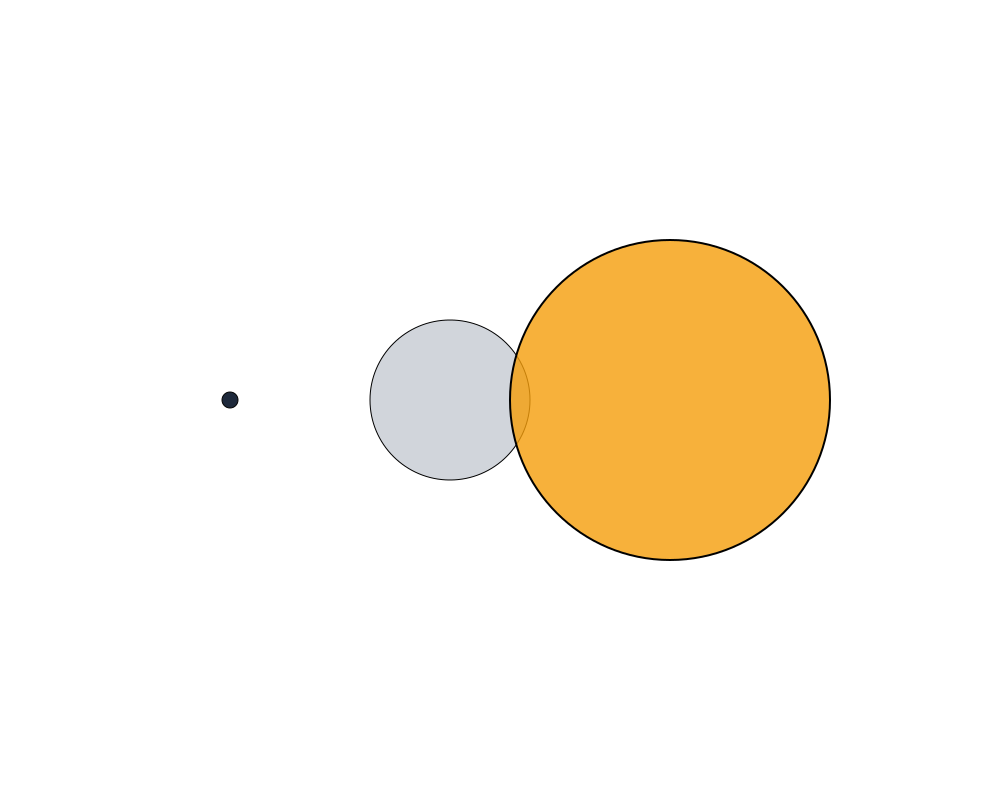
pivot, a shape, line or group grows around its own position, staying in place. With a pivot, its distance from the pivot is scaled too, so it also moves away from (or towards) it. A Point without pivot is scaled from the origin (0, 0). - Multiplies. The factor multiplies the object's own scale: scaling an object with scale 2 by 1.5 gives 3. Stroke widths scale with the shape.
- Keeps the type, and works on a copy, like Translate.
Errors
objectmust be a shape, line, group or Point (its pin is generic, so other values connect but fail here).- An object that can't be copied can't be scaled.
Example
A circle (gray) scaled by 2 around a pivot to its left (the dark dot, from Make Point). The copy (orange) grows, and moves away from the pivot.
 Open in Playground