



A hexagram from a circle
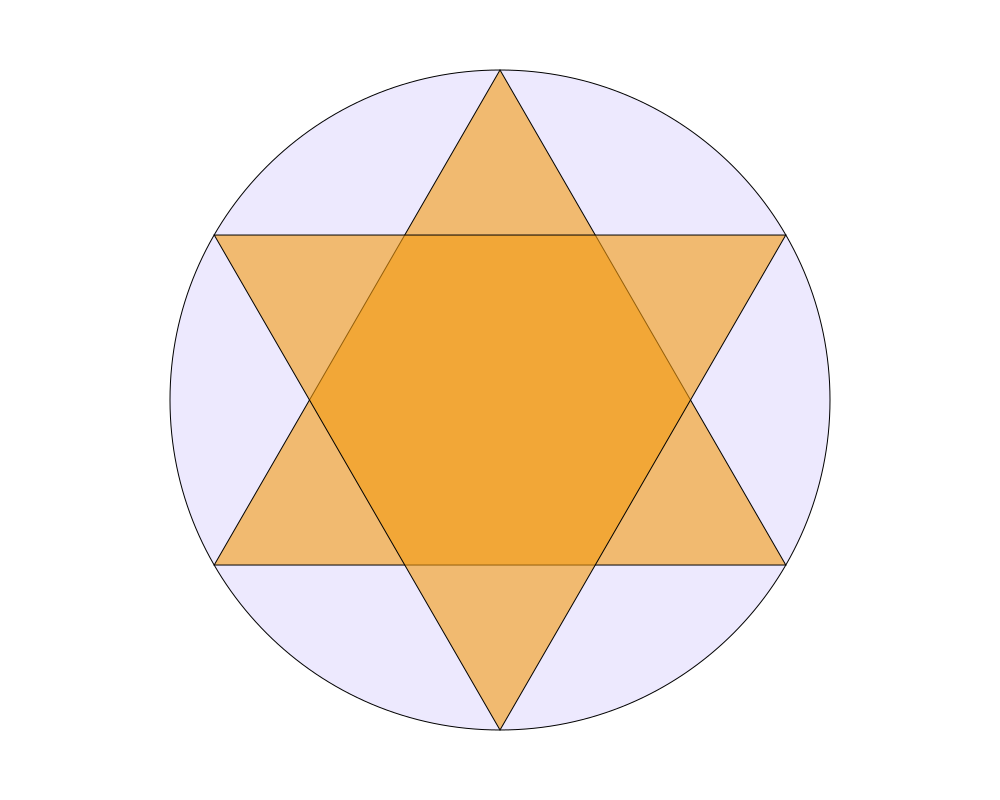
A six-pointed star (a hexagram) inside a circle. The triangle's corners aren't typed in: they're points sampled on the circle, so they always lie exactly on it. A rotated copy of the triangle makes the second half of the star.
 Open in Playground
You'll use: Make Circle, Sample, Make Polygon, Rotate, Output.
Steps
1. The circle
Add a Make Circle node and set:
position: x 500, y 400;radius: 330;rotation: -1.5708 (a quarter turn anticlockwise, in radians; see step 2 for why);fill: r 237, g 233, b 254 (a pale purple).
Connect it to the Output node.
2. Three points on the circle, as a triangle
Add a Sample node (Path → Sample), connect the circle's object to
its object input, and set count to 3. It gives three points evenly
spaced around the circle's outline.
Add a Make Polygon node (Objects → Polygon → Make Polygon) and
connect Sample's points to its vertices. Set its fill to r 243,
g 156, b 18, a 0.6 (a see-through orange), and connect it to the Output
node.
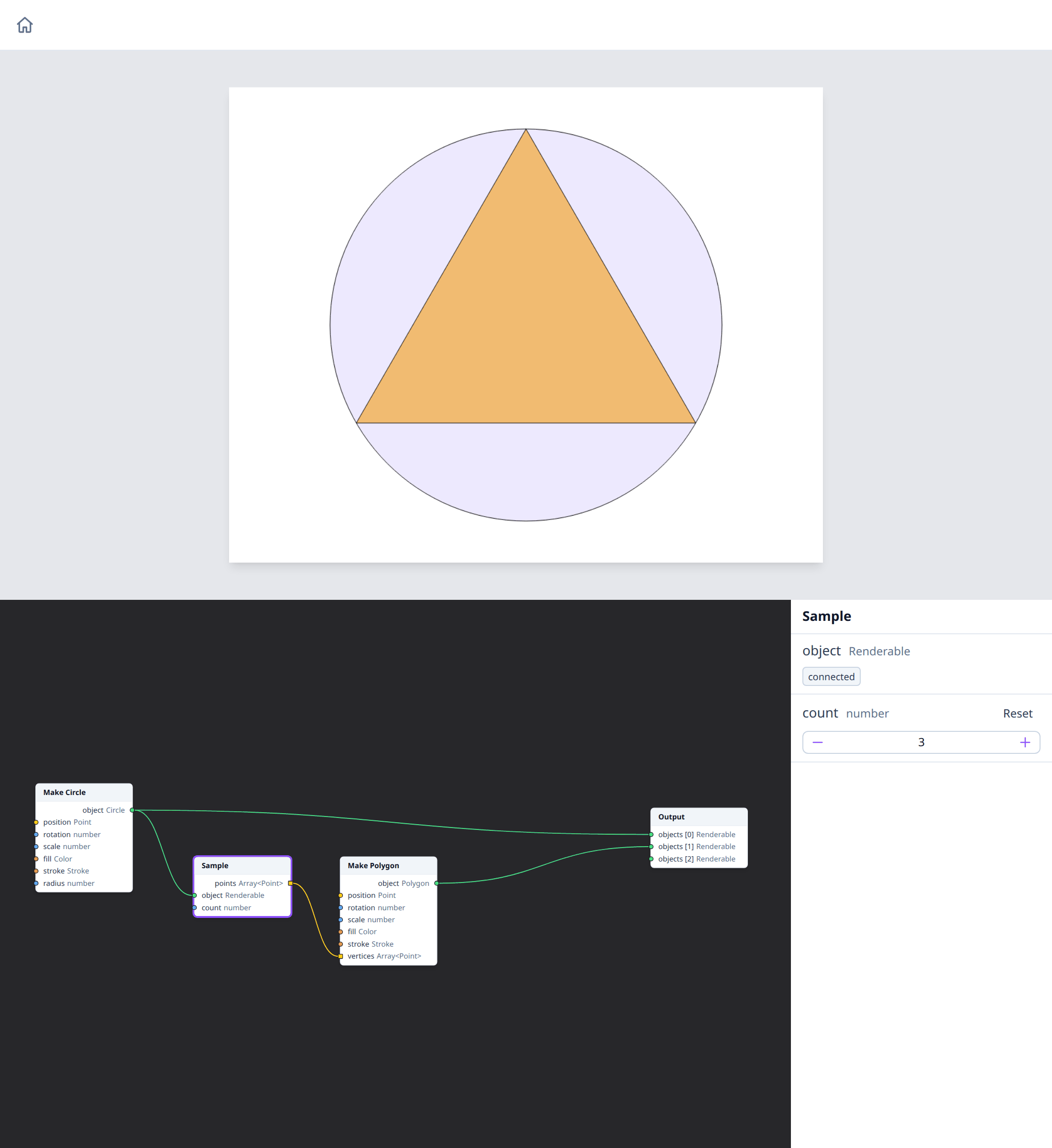
A circle's outline starts at its rightmost point, so without the circle's rotation the triangle would point right. The rotation of -1.5708 turns the start to the top. Sample includes the circle's position and rotation, so its points are where the outline is drawn.
3. The second triangle
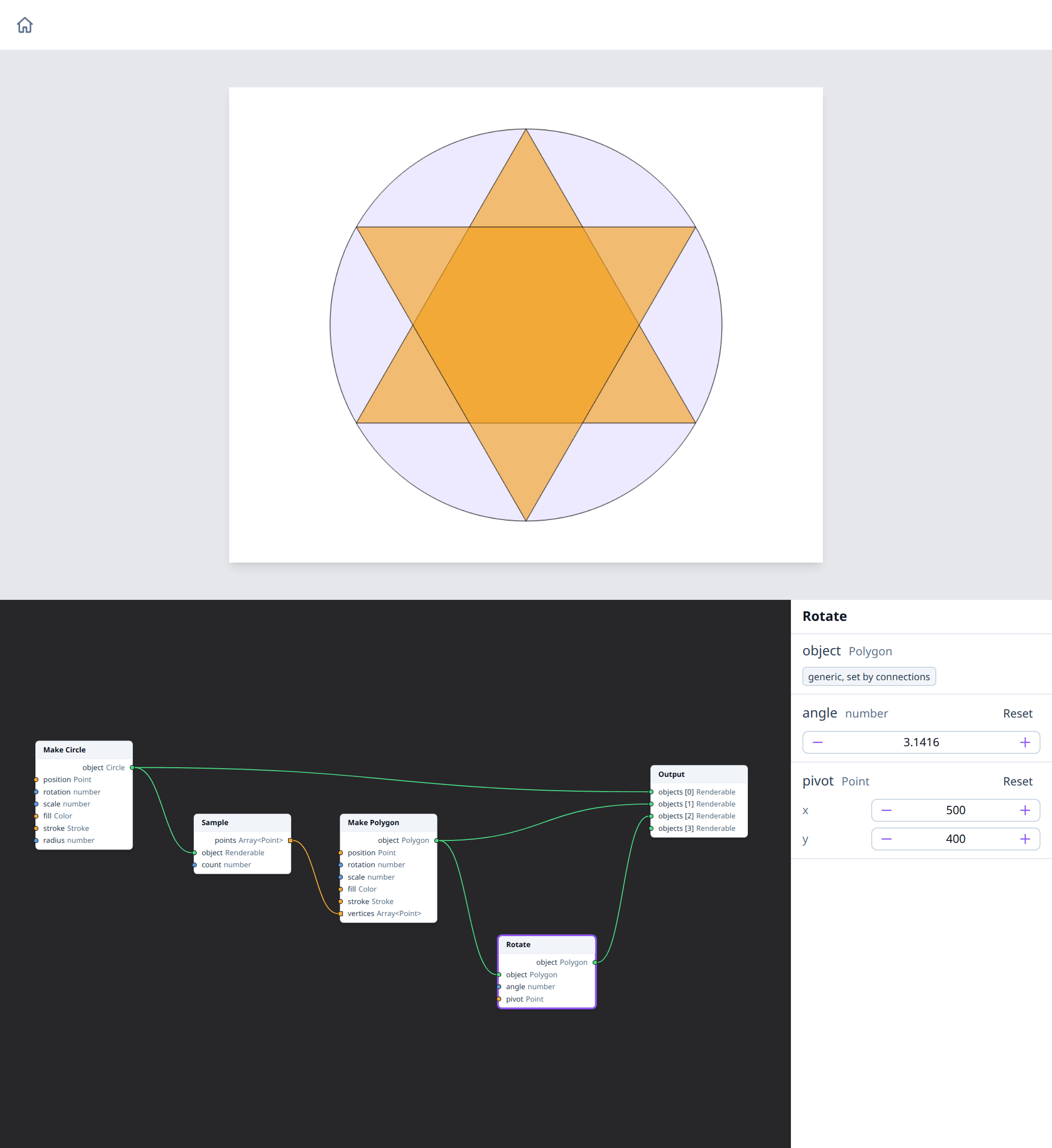
Add a Rotate node (Transform → Rotate) and connect Make Polygon's
object to it. Set:
angle: 3.1416 (π, half a turn);pivot: x 500, y 400 (the circle's centre).
Connect Rotate's output to the Output node. The rotated triangle points down, and the two make the star.
How it works
The polygon's vertices come from Sample in page coordinates, and its own
position stays at (0, 0), the top-left corner of the page. That's why
Rotate needs a pivot: without one, a shape turns around its own position,
so the triangle would swing around the page's corner, off the page. With
the circle's centre as the pivot, it turns in place.
Nodes used
- Make Circle and Make Polygon, on their types' pages.
- Sample.
- Rotate.
- Output.
Variations
- Other polygons. Set Sample's
countto 5 for a pentagon, and the Rotateangleto 0.6283 (π / 5): two pentagons make a ten-pointed star. Withcount4 and anangleof 0.7854 (π / 4), two squares make an eight-pointed star. - Without the pivot. Click Reset next to Rotate's
pivotto see the second triangle swing off the page. - Another shape. Connect a Make Ellipse, or a Make Rectangle, to Sample instead of the circle: the points follow its outline.
- No fill. Set the polygon's fill
ato 0 and give it a thickstroketo draw the star as lines.
See also
- Point At: where outlines start, for each shape.
- Units and coordinates.