



Blending two circles
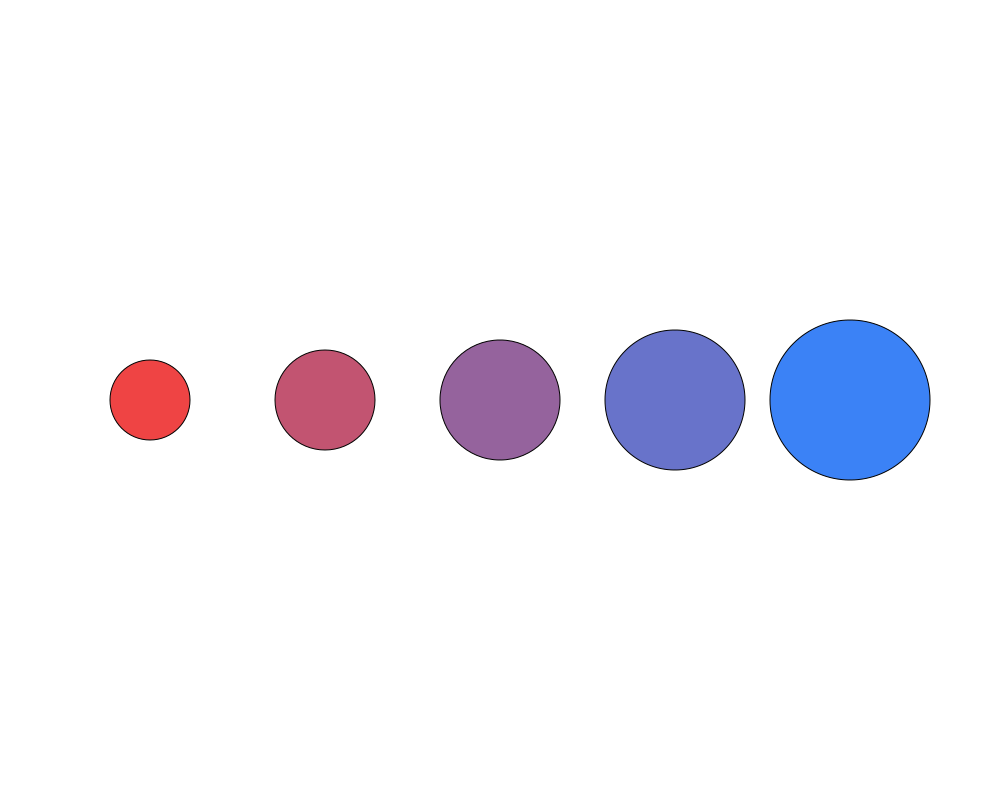
Two circles, a small red one and a large blue one, and five circles between them that blend size, position and color step by step. Every circle in the row is computed from the first two: change either of them and the whole row follows.
 Open in Playground
You'll use: Make Circle, Lerp Circle, Output.
Steps
1. Make the two end circles
Add a Make Circle node (Shift + A, then Objects → Circle → Make Circle, or type "make circle"). In the property inspector, set:
position: x 150, y 400;radius: 40;fill: r 239, g 68, b 68 (red; leaveaat 1).
Right-click the node and choose Duplicate, then give the copy:
position: x 850, y 400;radius: 80;fill: r 59, g 130, b 246 (blue).
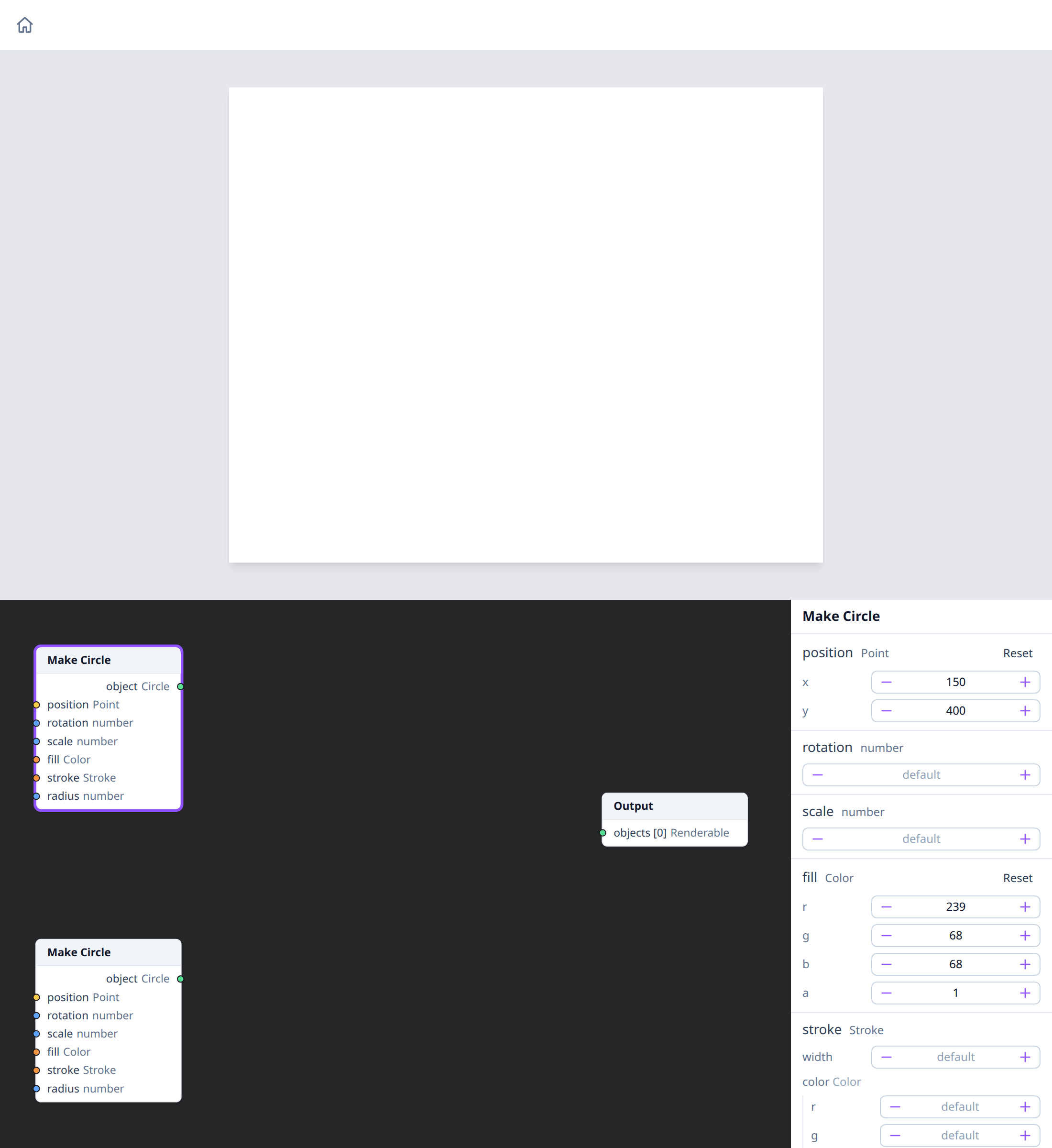
Nothing is drawn yet: the circles aren't connected to the Output node.
2. Blend them once
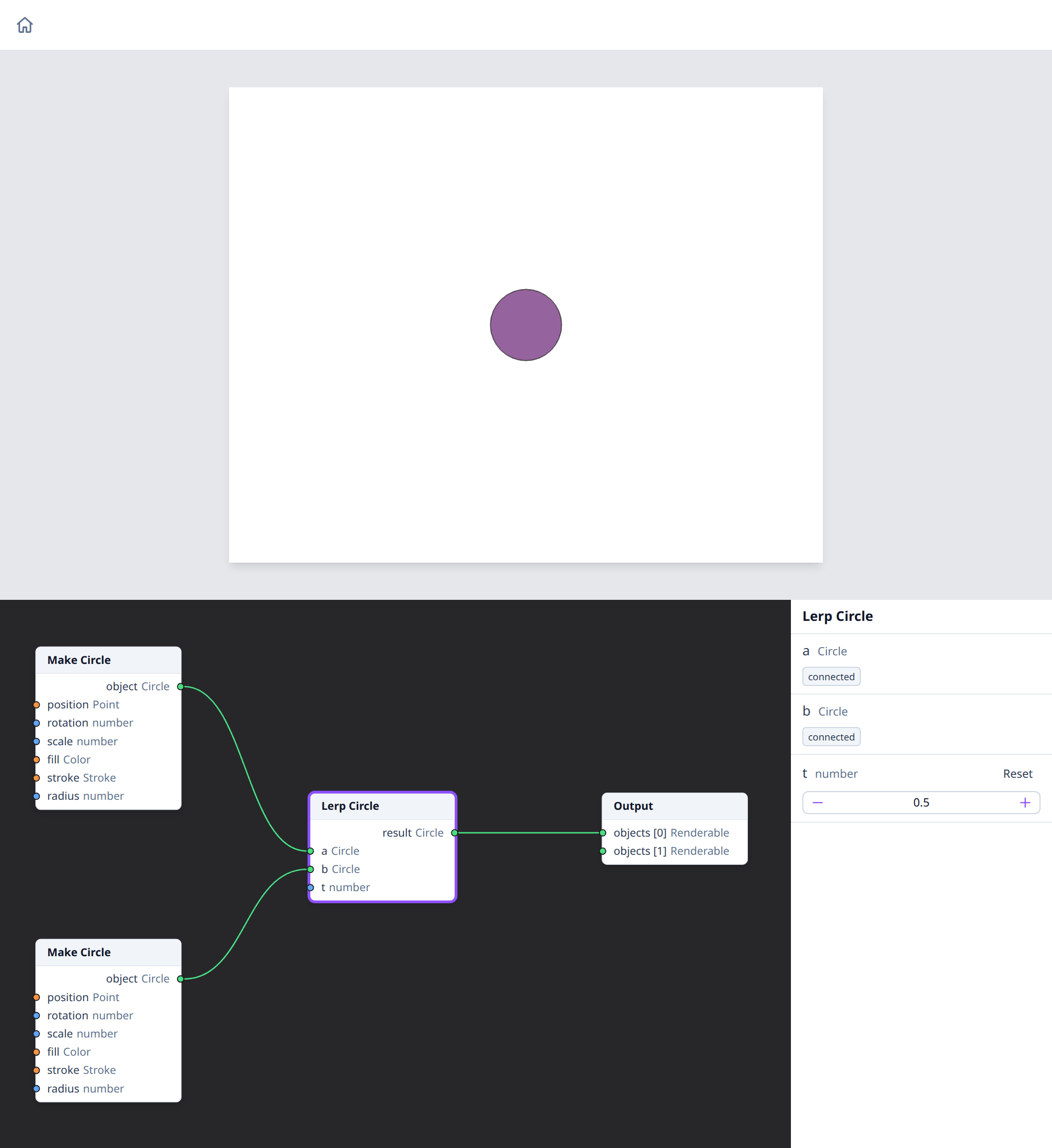
Add a Lerp Circle node (Objects → Circle → Lerp Circle). Connect the
red circle's object output to its a input, and the blue circle's to
b. Then connect its result to the Output node.
t is how far to go from a to b. Its default, 0.5, gives the circle
halfway: at x 500, with a radius of 60, in a purple between red and blue.
3. Make the row
Set this Lerp Circle's t to 0. Duplicate it four times (duplicates keep
t, but not the wires), set their t to 0.25, 0.5, 0.75 and 1, and
connect each one like the first: a to the red circle, b to the blue
one, result to the next free slot of the Output node.
t = 0 gives exactly the red circle, and t = 1 the blue one. The result
is the picture at the top.
How it works
Lerp Circle blends every property of two circles at once: position, radius, rotation, scale, fill and stroke. Each Lerp node makes a new circle; the two Make Circle nodes are only its inputs, which is why they aren't drawn themselves.
The Lerp nodes of the object types limit t to 0 to 1. The
math Lerp for plain numbers doesn't.
Nodes used
- Make Circle and Lerp Circle, on the Circle type's page.
- Output.
Variations
- Different ends. Edit either Make Circle: move the blue one to y 200 for a diagonal row, or give it a green fill.
- Uneven steps.
tvalues such as 0, 0.1, 0.3, 0.6 and 1 bunch the circles towards the red end. - Other shapes. Lerp Rectangle, Lerp Regular Polygon and the other
schema Lerp nodes work the same way. With rectangles, give the second one
a
rotationof 1.5 to make the row turn as it goes. - Overlap. Bring the two ends closer, or make them larger, so the circles overlap: later slots of the Output node are drawn on top.
See also
- Adding nodes and Connecting pins.
- Context menus: Duplicate.