



Metaballs and contour lines
Metaballs are blobs that melt together when they get close, like drops of oil on water. Each blob comes from a charge: a point with a radius. In this example you'll scatter charges over a jittered grid, give them random radii, draw the blobs with Metaballs, and surround them with contour lines from Isolines, like the rings of a topographic map.
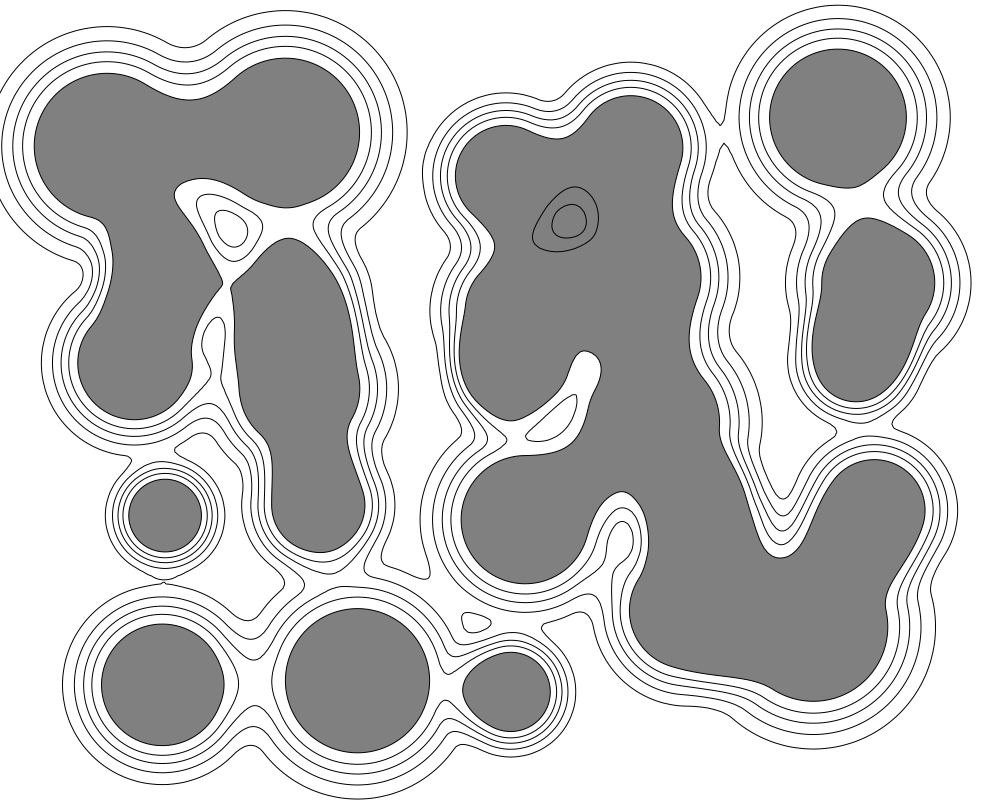 Open in Playground
You'll use: Make BoundingBox, Orthogonal Grid, Jitter, Length, Range, Zip Point Scalars, Page, Metaballs, Isolines, Output.
Steps
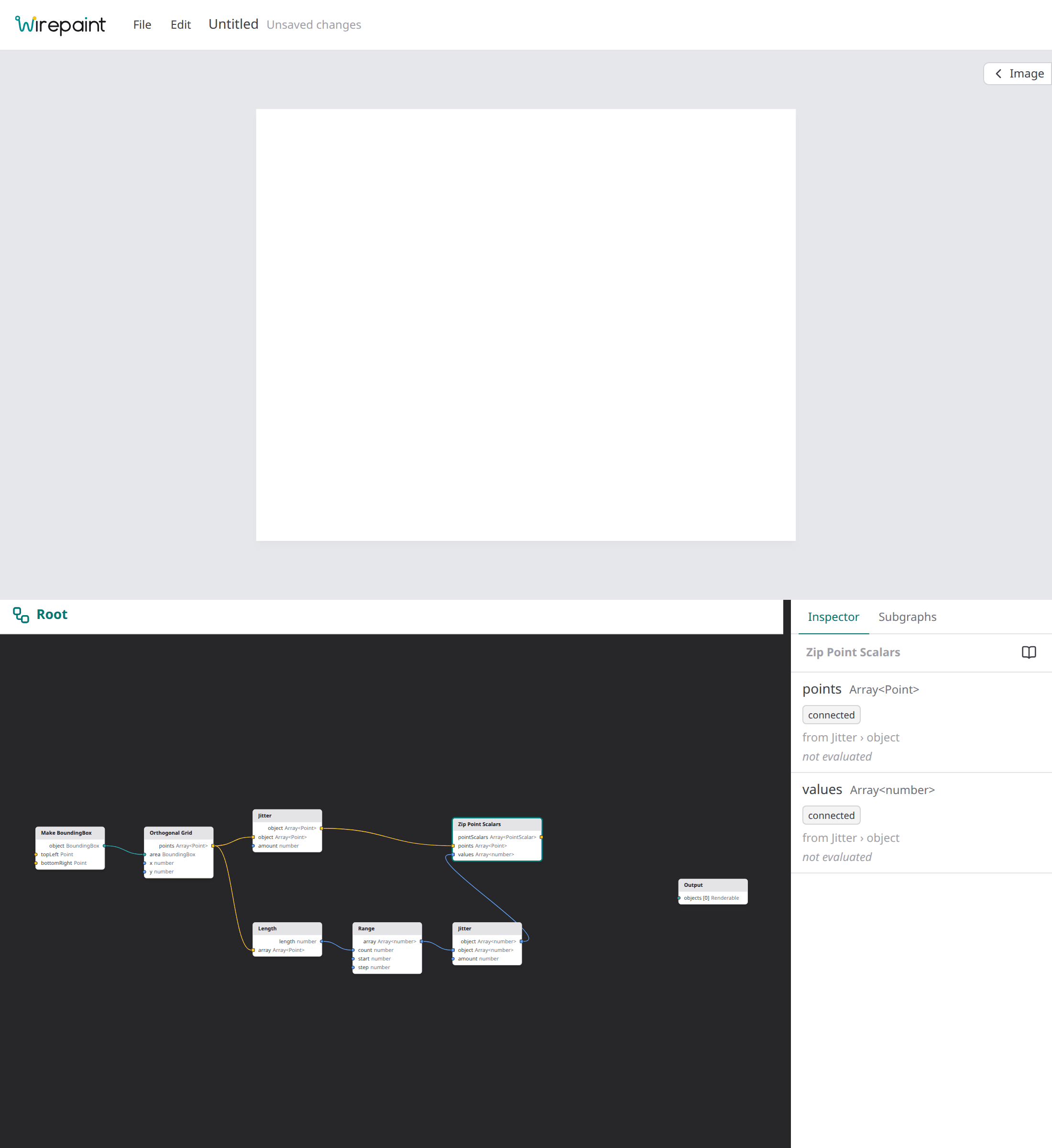
1. Make the charges
A charge is a PointScalar: a point and a number, here the blob's radius.
Add a Make BoundingBox node (Objects → BoundingBox → Make BoundingBox) and set:
topLeft: x 150, y 150;bottomRight: x 850, y 650.
Add an Orthogonal Grid node (Lattice → Orthogonal Grid), connect the
box's object to its area, and set its x spacing to 175 and its y
spacing to 125. That's 25 points, five rows of five.
Add a Jitter node (Math → Jitter), connect the grid's points to its
object, and set amount to 45: every point moves up to 45 units in a
random direction.
Now the radii, one per point. Add a Length node (Array → Length) and
connect the grid's points to its array. Add a Range node (Array →
Range), connect Length's length to its count, and set start to 55
and step to 0: 25 radii of 55. Add a second Jitter node, connect
Range's array to its object and set amount to 20, so the radii vary
from 35 to 75.
Add a Zip Point Scalars node (Field → Zip Point Scalars). Connect the
first Jitter's object to its points and the second Jitter's object to
its values.
2. Draw the blobs
Add a Page node (Core → Page) and a Metaballs node (Field →
Metaballs). Connect Zip Point Scalars' pointScalars to Metaballs'
charges and Page's bounds to its bounds. Then:
- set
falloffto wyvill, so each charge's pull stops at twice its radius and the blobs stay round until they meet; - turn
smoothon, for curves instead of the grid's straight segments.
Connect Metaballs' shapes to the Output node's objects.
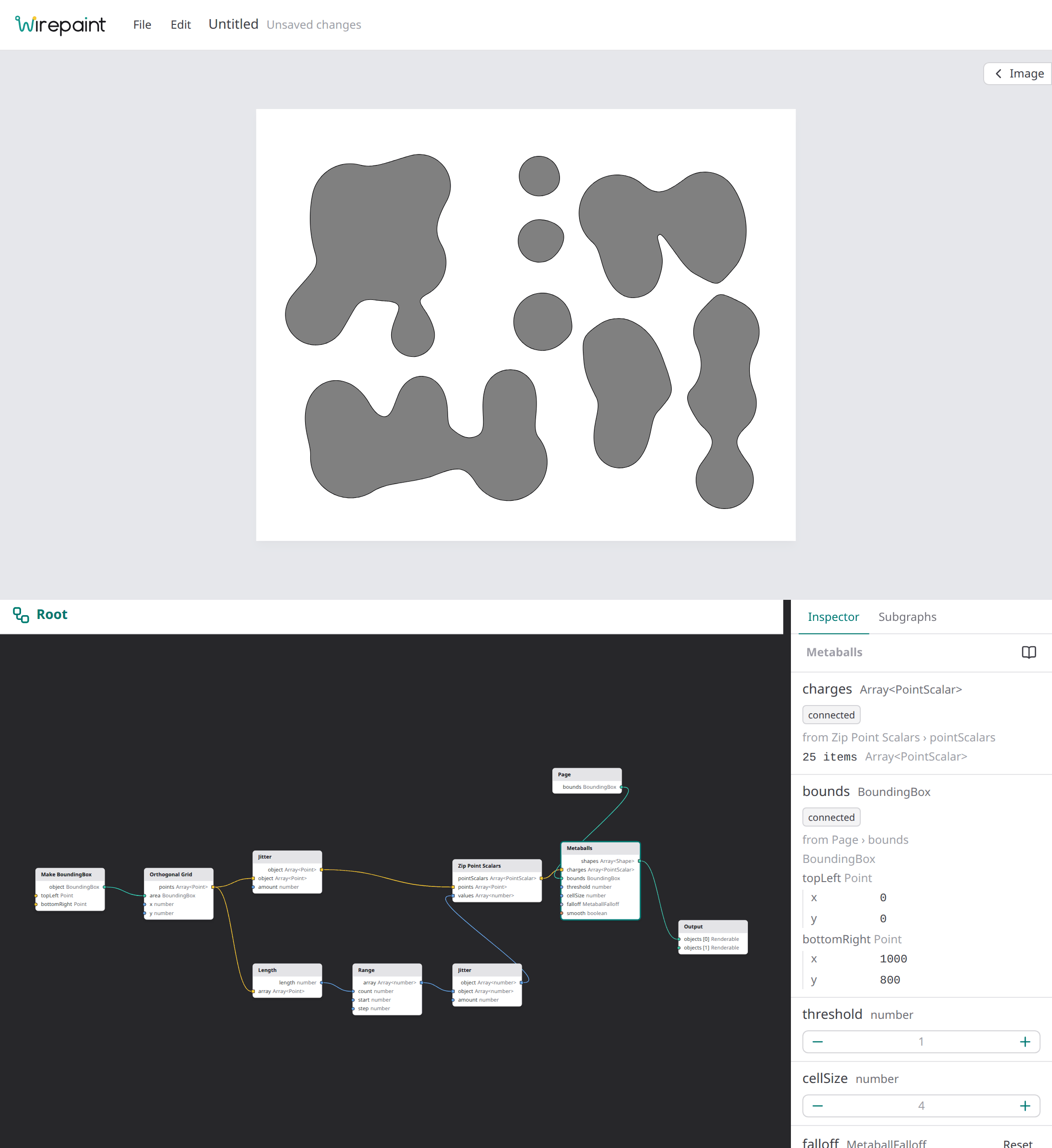
Charges close together have merged into long blobs, lone ones stay circles. Your blobs will differ: the Jitter nodes have their own random seeds (change them in the inspector to try other layouts).
3. Add contour lines
Add an Isolines node (Field → Isolines). Connect the same
pointScalars to its charges and Page's bounds to its bounds, then
set:
count4,min0.15,max0.75: four levels, all below the blobs' level of 1, so the lines ring the blobs from outside;falloffwyvill andsmoothon, as for Metaballs.
Connect Isolines' lines to a new slot of the Output node.
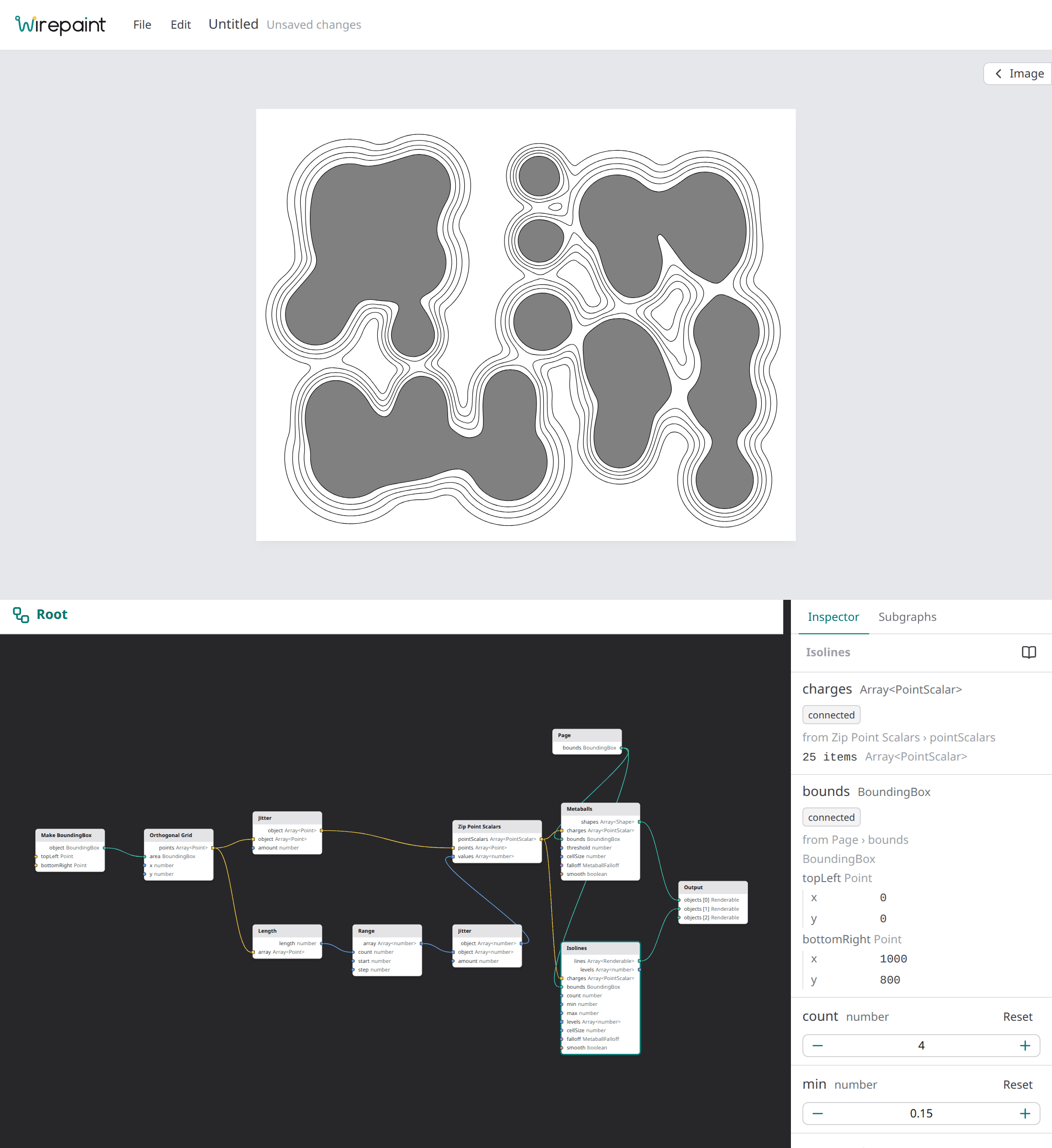
The result is the picture at the top.
How it works
- A field of charges. Every charge spreads an influence around it that
fades with distance; where charges are close, their influences add up.
Metaballs outlines the region where the total reaches
threshold(1), which for a lone charge is a circle of its radius. - Melting together. Between two nearby charges the influences add, so the total stays above 1 across the gap and the two circles join with a smooth neck.
- Contour lines. Isolines draws the same field at other levels. Lower levels lie further out, so the rings at 0.15 are the outermost; where two blobs are close their rings merge before the blobs do.
- Why Zip Point Scalars. Keeping each radius with its point means the two can never get out of step, whatever happens to the list later.
Nodes used
- Make BoundingBox, on its type's page.
- Orthogonal Grid.
- Jitter.
- Length and Range.
- Zip Point Scalars.
- Page.
- Metaballs and Isolines.
- Output.
Variations
- Inverse-square. Set both nodes'
falloffto inverse-square: every charge now pulls on every other, so with this many charges the blobs melt into one big puddle. Lower the radii (Range'sstart) to separate them again. - Threshold. Raise Metaballs'
thresholdto 1.5 to shrink the blobs and break up the merged ones, or lower it to 0.7 to merge more. - Holes. Give one charge a negative radius (for example a Make PointScalar with value −40, added to the list with Push): it pushes the blobs away, denting them or cutting a hole.
- Contour lines alone. Remove Metaballs and set Isolines'
minto 0.2 andmaxto 3 withcount10: the lines then also run inside the blobs, like a map of hills.