



Jitter
Randomly nudges a value, from a single point to a whole group of shapes.
Node id math/jitter
The Jitter node outputs a copy of object with its numbers randomly
nudged by up to amount (default 10). It takes almost anything made of
numbers: a number, a point, a color, a gradient, a stroke, any shape or
line, a group, an imported SVG, or an array of any of these. Use it for
hand-made wobble, scattered points or color variation.
Inputs
| Name | Type | Default | Notes |
|---|---|---|---|
| object | T | — | generic |
| amount | number | 10 |
Outputs
| Name | Type | Notes |
|---|---|---|
| object | T | generic |
Behaviour
- What
amountmeans depends on what is nudged, so one number gives comparable changes:- Numbers move by up to
amounteither way. - Points and vectors move up to
amountpage units, in any direction (anywhere inside a circle of that radius). - Angles (an object's rotation, an Arc's or Sector's start and end) turn by up
to
amountdegrees either way. - Sizes (radius, width and height, font size, stroke width,
gradient radii, an object's scale) grow or shrink by up to
amountpercent, so they stay positive. - Colors shift their hue by up to
amountpercent of the color wheel, and their saturation and lightness by up toamountpercentage points. Transparency doesn't change.
- Numbers move by up to
- Shapes and lines move, turn and resize as a whole (their position, rotation and scale), and their fill, stroke, points (polygon vertices, line ends, Bézier control points, spline points) and sizes are nudged too. Counts and settings stay: a regular polygon keeps its sides and stays regular, a spline keeps its tension, and text keeps its words, font and alignment.
- Groups jitter each object in them, each differently; the group's own position, rotation and scale stay. An SVG image only moves, turns and resizes.
- Arrays jitter every element on its own, nested arrays too, and keep their length and order.
- Unchanged values. Text, true / false, choices from a list and functions pass through as they are, and so do bounding boxes.
- Keeps the type. A Circle in gives a Circle out, an
Array<Point>anArray<Point>. The input is never changed. - Bounds stay valid. Hues wrap around the wheel; saturation,
lightness and gradient stop offsets stay between 0 and 1; sizes and
scales stay above 0. With
amount0, the copy is exactly the input. - Repeatable. The nudges come from the node's own seeded sequence,
like the random nodes: the same graph
always draws the same picture, and two Jitter nodes nudge differently.
For other nudges, give the node a new
seed
(the dice in the inspector, or New random seed in its context menu).
Changing
amountscales the same nudges up or down.
Errors
amountmust be 0 or more (and not NaN or infinite).- A group holding an object that can't be jittered is an error (every object the Playground makes can be).
Example
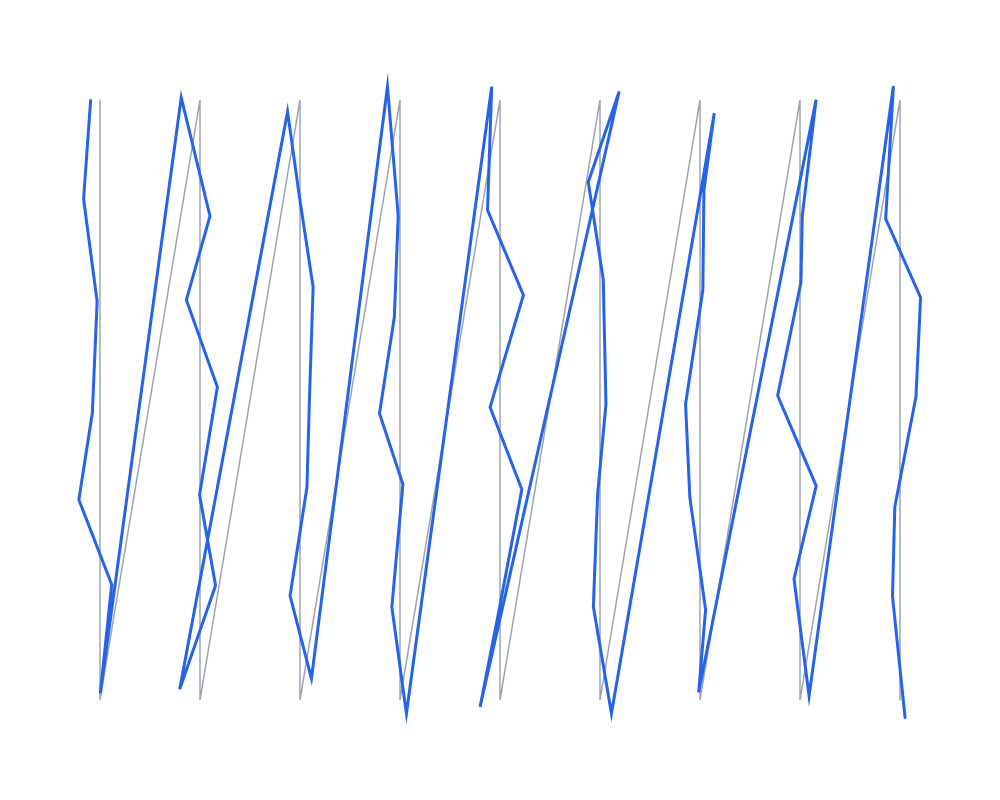
An Orthogonal Grid's points (gray polyline) through Jitter with amount 25, drawn again as a polyline (blue): each point moved on its own, up to 25 units.
 Open in Playground
Related nodes
- Random Number: a random number in a range.
- Random Color: a random color.
- Displace: a wobbly outline, by moving pixels instead of points.
- Lerp: blends two values instead.