



OOBB
An object's own box, which turns with it.
Node id bounds/oobb
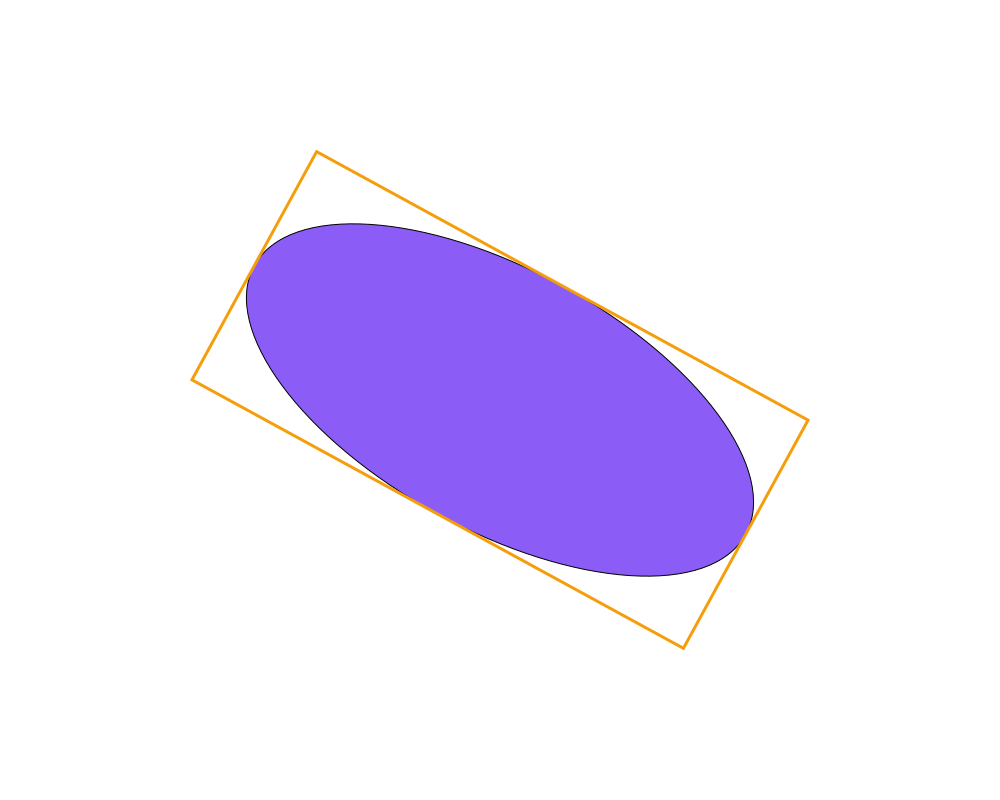
The OOBB node (object-oriented bounding box) outputs the box of object
in its own coordinates, which rotates and scales with the object. It has
two outputs:
box: the box before the object's position, rotation and scale, with the object's position at (0, 0). A rectangle of 300 × 150 gives a box from (-150, -75) to (150, 75), however it is placed or turned.corners: the box's four corners on the page, in order around it. They are where the box is drawn around the object.
Inputs
| Name | Type | Default | Notes |
|---|---|---|---|
| object | Renderable | — |
Outputs
| Name | Type | Notes |
|---|---|---|
| box | BoundingBox | |
| corners | Array<Point> |
Behaviour
- Why two outputs. A BoundingBox always has horizontal and vertical sides, so it can't hold a rotated box: the rotated box comes as its corners instead.
- Drawing it. Use
cornersas the vertices of a Make Polygon. - Tight. The box touches the outline, without the stroke's width.
Errors
objectmust be a shape or a line. A group has no bounding box.
Example
A rotated ellipse and its OOBB, drawn as a polygon through corners.
 Open in Playground