



Opacity
Makes an object see-through.
Node id effect/opacity
The Opacity node outputs a copy of object drawn with its opacity
multiplied by opacity: 1 keeps it as it is, 0.5 makes it half
see-through, 0 hides it. The object can be any shape, line, text, group or
SVG image.
Inputs
| Name | Type | Default | Notes |
|---|---|---|---|
| object | T | — | generic |
| opacity | number | 0.5 |
Outputs
| Name | Type | Notes |
|---|---|---|
| object | T | generic |
Behaviour
- Multiplies. Two Opacity nodes of 0.5 in a row give 0.25. Break reads
the result as the object's
opacity. - The whole object. The opacity applies to the object as drawn, fill,
stroke and effects together, so an outlined shape doesn't show its
stroke through its fill. On a group, it applies to the composed group:
overlapping children don't show through each other. A fill's own alpha
(its color's
a) is a different thing: it only makes the fill see-through. - Keeps the type and copies, like the other effect nodes: the connected object stays as it was.
- SVG only. The preview and Download SVG draw it; bounding boxes don't change.
Errors
opacitymust be between 0 and 1.objectmust be a renderable. Its pin is generic, so other values connect but fail here.
Example
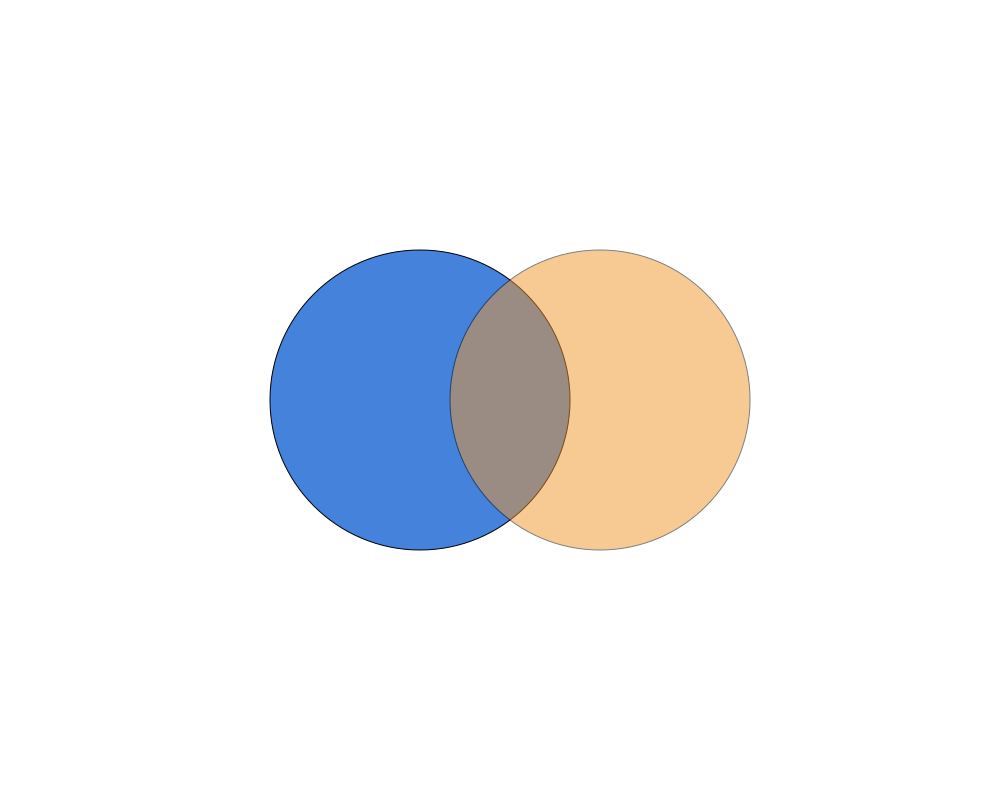
Two overlapping circles: the orange one, on top, through Opacity 0.5.
 Open in Playground
Related nodes
- Blend Mode: how the object mixes with what's under it.